6/23/2026

Driver-in-the-Loop | DIL

Driver-in-the-Loop setups at all configuration levels: from a simple steering wheel connection to a full dynamic simulator

Insights
Automotive
Agriculture
DYNA4 | Virtual Test Driving
CANoe
Testing, Validation & Diagnostics
ADAS/AD

Driver-in-the-Loop (DIL) is an important method for testing vehicle functions and components in a laboratory or office setup. The DYNA4 simulation environment allows DIL setups at all configuration levels. From a simple steering wheel connection to a full dynamic simulator.

Driver-in-the-Loop Applications and Images

  • Rapid prototyping: DIL allows for the evaluation of new software algorithms and rapid prototyping functions
  • Steering systems: DIL enables research into steering feel and behavior, as well as early testing of systems like Lane Keeping Assist (LKA) 
  • Performance evaluation of ADAS functions: Studies on individual assessment of driver comfort and safety feel
  • V2X research: Driver-in-the-Loop setups with cars or bicycles in virtual environments for studies on driver interaction
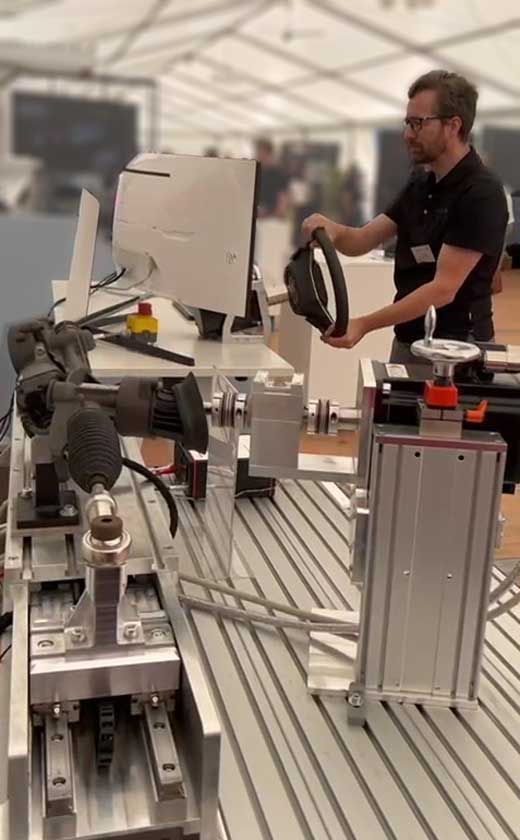
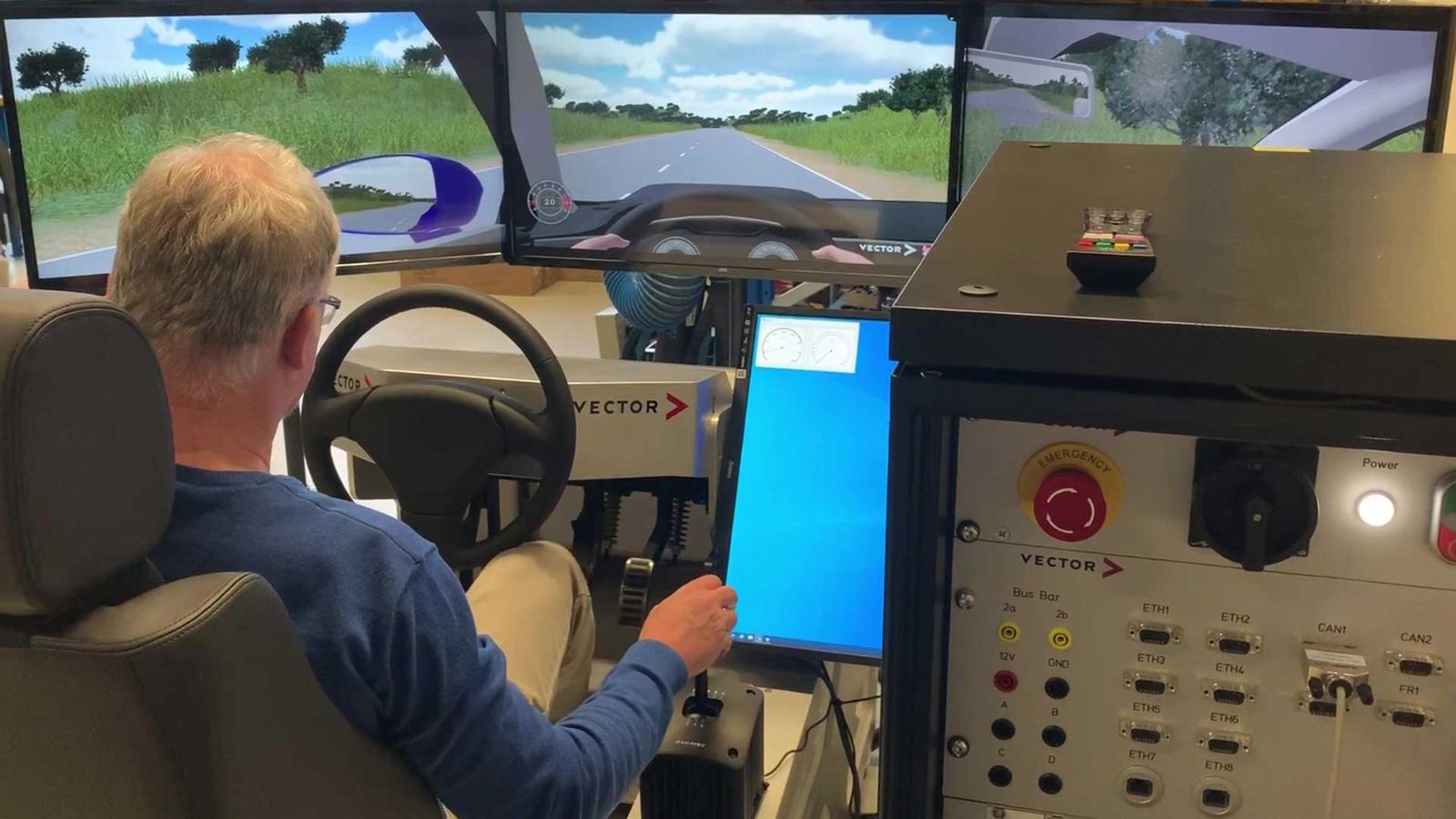
Driver-in-the-Loop (DIL): Mdynamix test bench with Vector real-time hardware and vehicle dynamics simulation in DYNA4
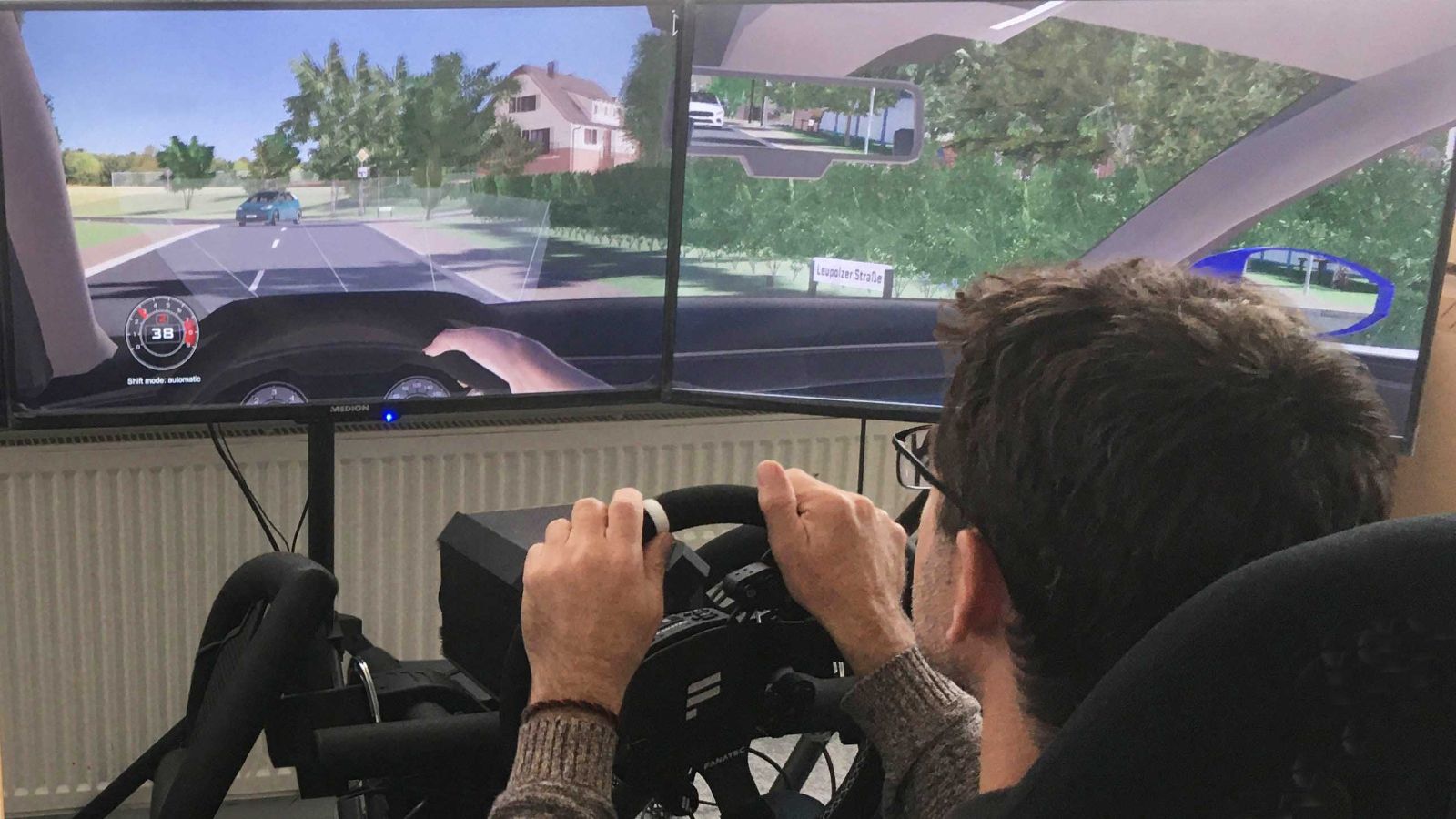
Driver-in-the-Loop (DIL) test setup for ADAS research. The configuration contains the simulation environment DYNA4, CANoe and gaming hardware.
Driver-in-the-Loop setup with Vector real-time hardware and ADAS test environment simulated in DYNA4
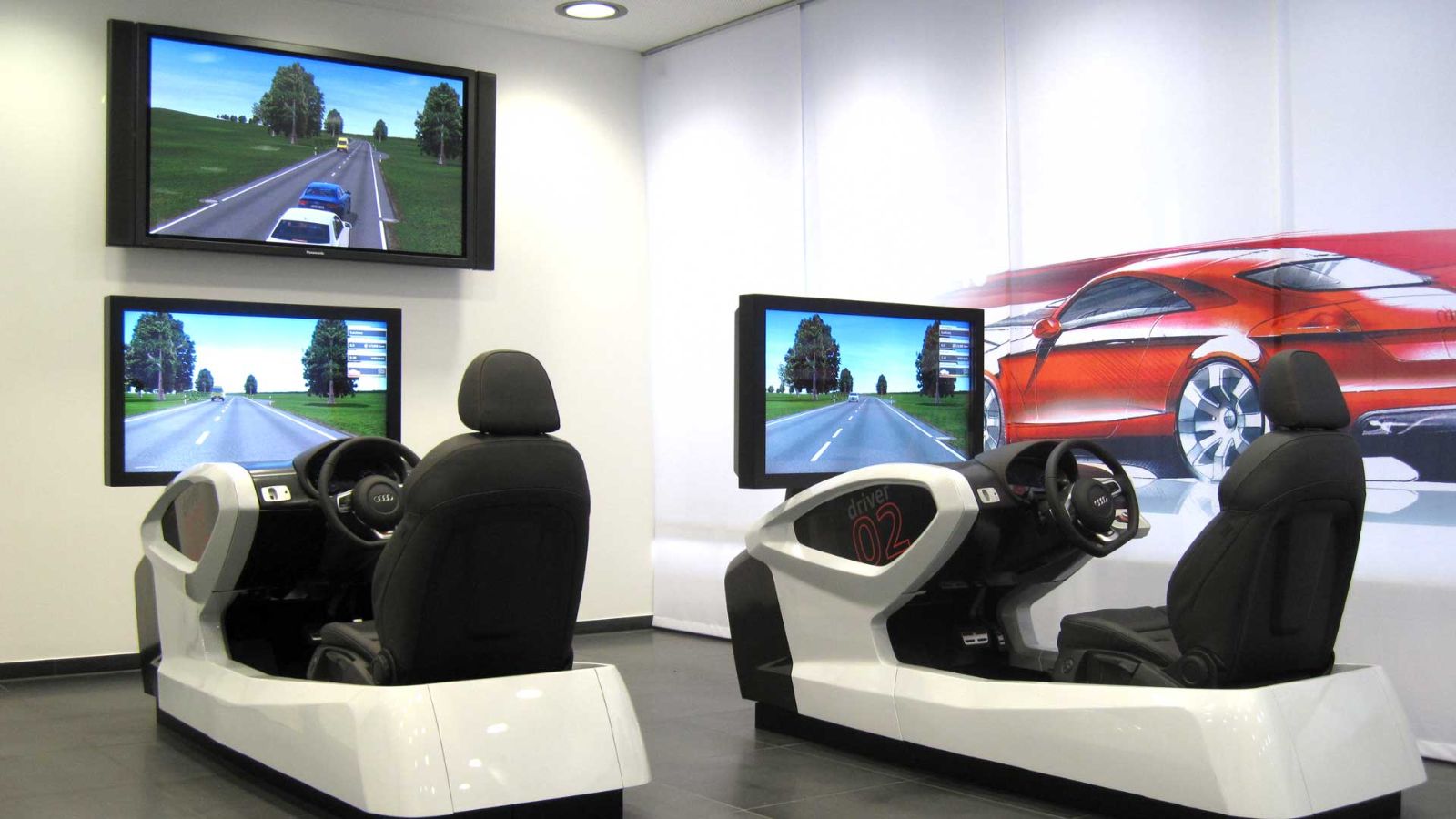
Showroom with driving simulators for visitors
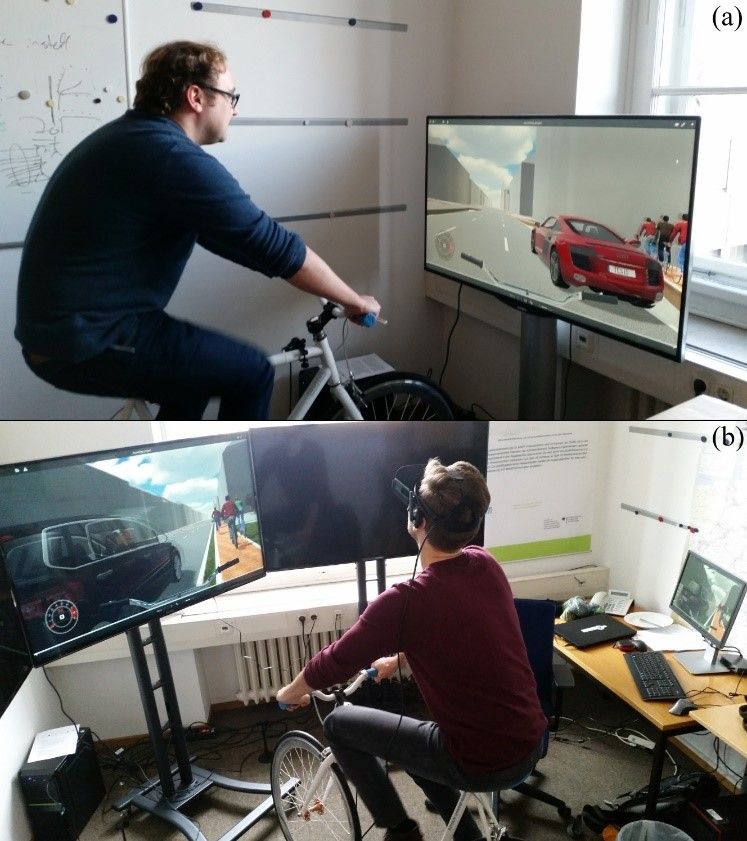
Driver-in-the-Loop with bicycles for research in city traffic situations. Simulation environment DYNA4 connected to a bicyle and optional VR glasses

Advantages of Driver-in-the-Loop Simulation

  • Flexibility
    Free-drive testing in scenarios with or without traffic in variable weather conditions  
  • Driver feedback
    Direct feedback on vehicle and control function behavior
  • Inherent safety
    Simulation of critical traffic scenarios without risk of harm
  • Easy implementation
    Enhancement of automated test systems for free-drive testing

Driver-in-the-Loop Example Setups
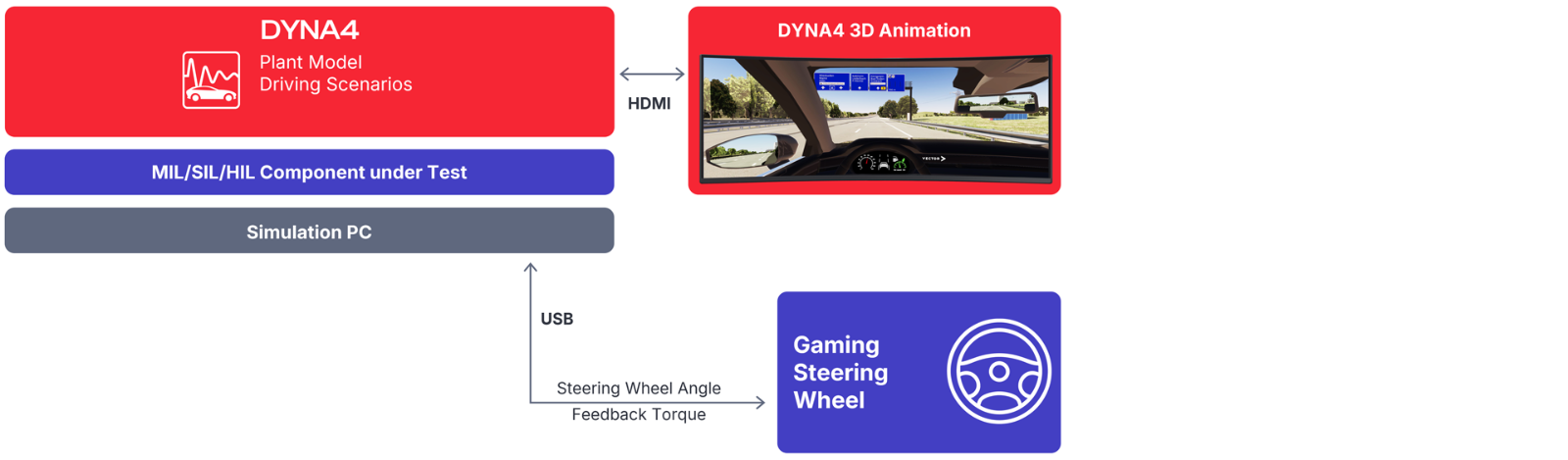
Driver-in-the-Loop setup scheme: Vehicle and environment simulation DYNA4 connected to a gaming steering wheel for tests with basic driver intervention.

Simple Driver-in-the-Loop Setup With PC and Gaming Hardware

Simulation Environment DYNA4
  • Real-time vehicle, environment, traffic simulation   
  • Impressive 3D visualization and vehicle sound
  • Vehicle model from simple physics to advanced multibody dynamics
  • Virtual driving on OpenDRIVE roads 
  • OpenSCENARIO for event-based traffic interactions
System under Test (SUT)
  • Direct integration into DYNA4's Simulink-based vehicle model
Steering Wheel | Gear Box | Pedals 
  • Easy connection via USB to out-of-the-box gaming hardware
Use Cases
  • Cost-effective setup for interactive testing in addition to automated test runs
  • Ideal for evaluating model-based designs of control strategies
Restrictions
  • Windows operating system provides limited real-time accuracy
  • Gaming hardware cannot reproduce realistic steering response 
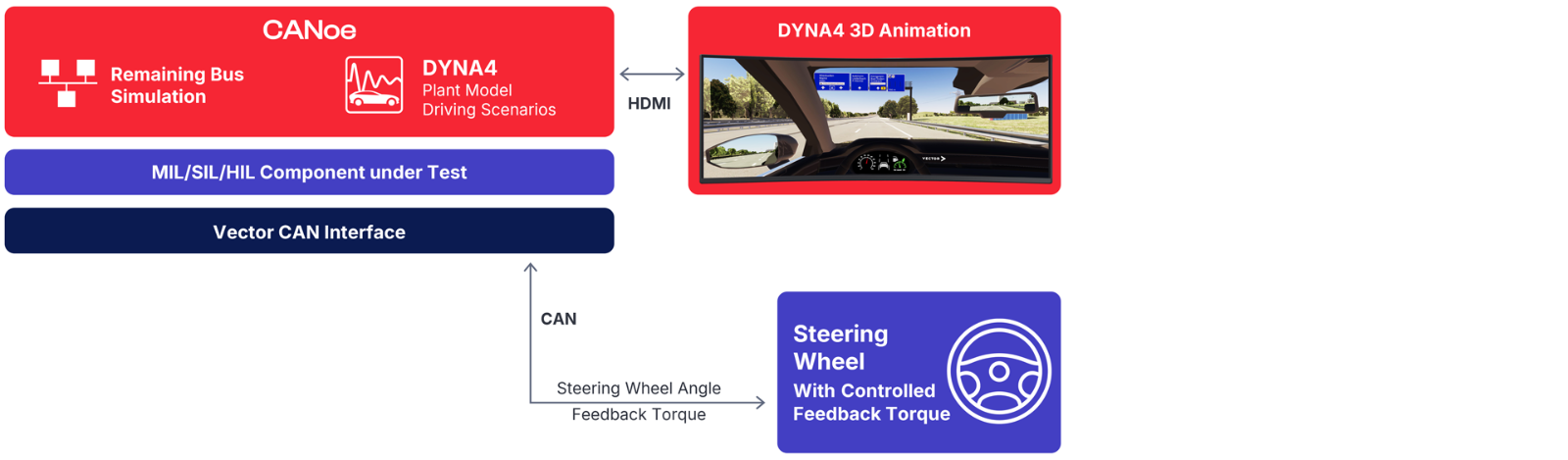
Setup scheme for Driver-in-the-Loop with Vector real-time hardware and vehicle dynamics simulation in DYNA4 and a controlled steering wheel.

Setup with Force Feedback Steering Wheel

Simulation Environment DYNA4 With CANoe
  • Real-time vehicle, environment, traffic simulation   
  • Impressive 3D visualization and vehicle sound
  • Vehicle model from simple physics to advanced multibody dynamics
  • Virtual driving on OpenDRIVE roads 
  • OpenSCENARIO for event-based traffic interactions
  • CANoe provides remaining bus simulation and connection to the real-time Vector CAN interface 
System under Test
  • Integration of Simulink-based contoller models, FMUs, virtual ECUs, real ECUs, etc. 
     
Steering Wheel | Gear Box | Pedals 
  • Steering wheel with controlled feedback torque
  • Gear box and pedals with controlled feedback forces
Use Cases
  • Advanced setup for interactive testing  
  • Plausible steering system response with superimposed ADAS feedback torques, e.g. active vibration
  • Ideal for evaluating control strategies and performanc
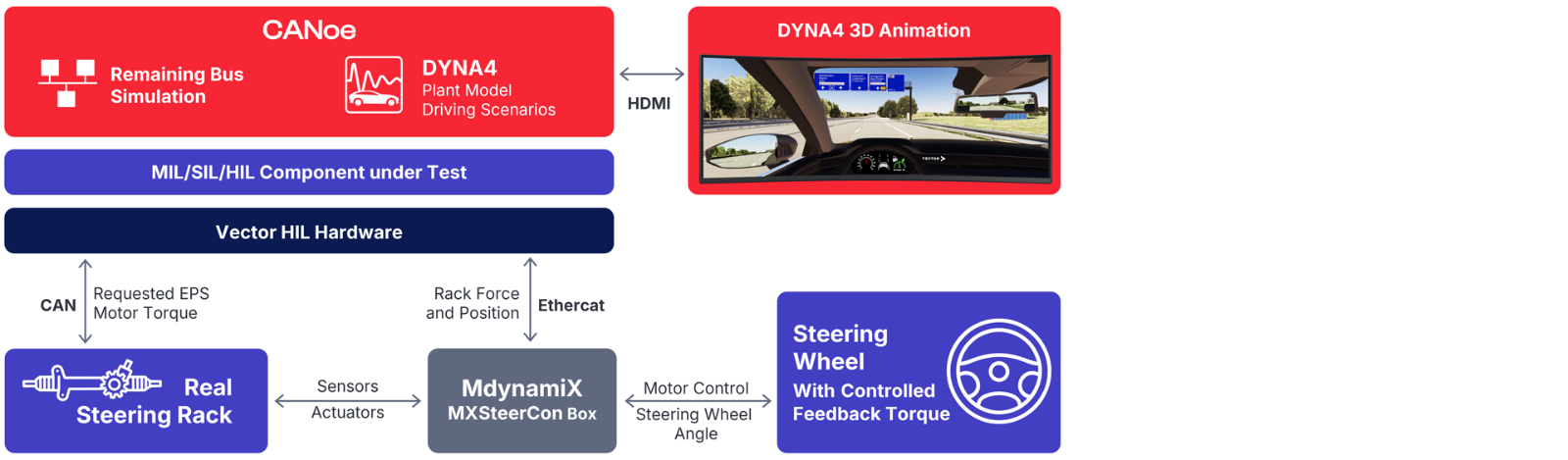
Driver-in-the-Loop setup scheme with Mdynamix test bench and real steering components connected to Vector real-time hardware and vehicle dynamics simulation in DYNA4.

Setup with Real Steering Components

Simulation Environment DYNA4 With CANoe
  • Real-time vehicle, environment, traffic simulation   
  • Impressive 3D visualization and vehicle sound
  • Vehicle model from simple physics to advanced multibody dynamics
  • Virtual driving on OpenDRIVE roads 
  • OpenSCENARIO for event-based traffic interactions
  • CANoe provides remaining bus simulation and is executed on the Vector real-time system (VN/VT System)
System under Test
  • Integration of Simulink-based contoller models, FMUs, virtual ECUs, real ECUs, etc. 
  • Integration of real steering or brake components. Learn more.
Steering Wheel | Gear Box | Pedals 
  • Real steering system with controlled rack forces 
  • Optional combination with real brake system
Use Cases
  • High-end setup for interactive steering feel testing
  • Most realistic steering system response with superimposed ADAS feedback torques, e.g. active vibration
  • Ideal for subjective evaluation of steering feel
Let's Discuss Your Use Case
Felix Beygang
Expert for ADAS Solutions
Let's Discuss Your Use Case
Contact me to find the right solution if you have questions about ADAS test systems, physical simulation models, or virtual test drives.