
vector-embedded-services-overview.png

Software Platform Workshops

Customized workshops that fit exactly your requirements.

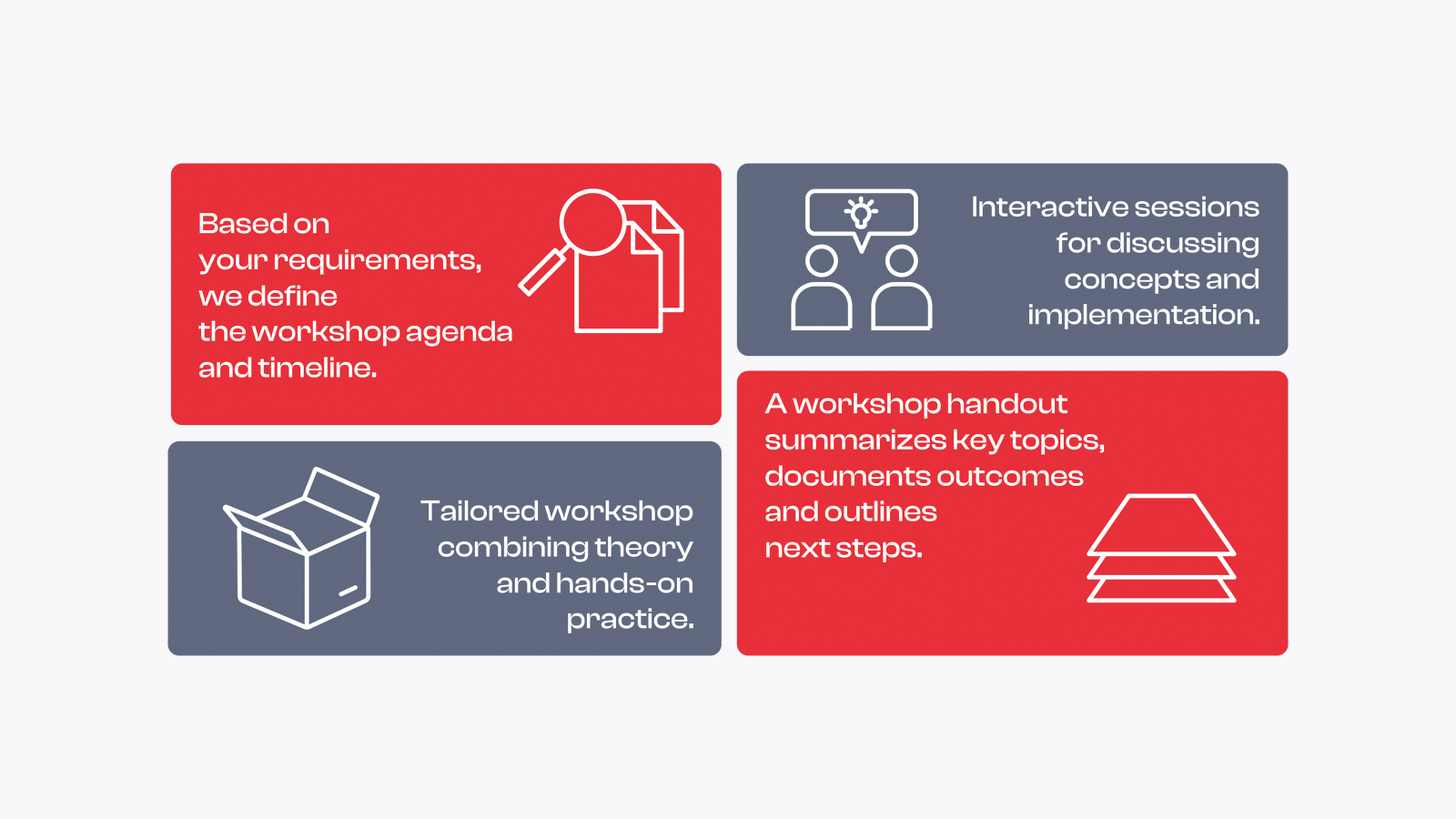
Software Platform Workshops support focused knowledge transfer within your team. Together, we review your embedded software requirements and define clear, joint actions that move your project forward. Contact us to set up a workshop tailored to your needs.

Key Benefits at a Glance

Bring proven best practices together with hands-on insights tailored to your project. Highly flexible in scope and duration, these sessions combine practical application with targeted expertise.

  • Tailored to your needs
    Shape content and scope to match your project and team.
  • Directly applied to your project
    Transfer theory into practical results for your specific setup.
  • Flexible combination of expertise
    Bring together different disciplines exactly as required.
  • Aligned with previous Vector trainings
    Build seamlessly on programs such as Vector Certified Embedded Professional.
  • Scalable in scope and duration
    Adapt the format from short sessions to multi‑week engagements.

Turning Challenges Into Progress

Avoid Common Pitfalls

Navigate the complexities and avoid the mistakes when working with new technologies such as security protocols, inter-core communications, or safety concepts.

Develop Software Design

Create a robust, sustainable and streamlined software design that minimizes inefficiencies and optimizes your development process.

Plan Your Project Phases

Quickly upskill your team with both theory and hands-on training to ensure timely project delivery.

Software Platform Workshops at a Glance
software-platform-workshops.png

Participant Perspectives

With an overall satisfaction score of 4.5 out of 5, Software Platform Workshops are consistently rated at the highest level by the majority of participants.

They achieve a strong recommendation score of 8.8 out of 10, with most participants indicating a very high likelihood to recommend the workshop to colleagues.

"The workshop was directly tailored to our real project and configuration, not based on abstract examples."

"The focus was on real development and configuration challenges, including concrete project setups and call stacks."

Complex technical topics were explained clearly and in depth, even when the content was new or challenging.

Topics and Focus

We are constantly expanding our range of topics. Please feel free to contact us with requests for additional topics.

Setup and Update of the Basic Software

  • Analysis of Obstacles in Setting Up or Updating Basic Software
    • Duration of Setup or Update
    • Migration of an Already Existing Configuration
    • Dealing With the Tool-Warnings, Using Auto-Solving Actions, etc.
    • Compatibility Issues With the Existing Software
  • Analysis of the current Workflow and the Development Environment
    • Integration- and Update Workflow
    • Build System and its Configuration
    • Repository Structure
    • Branching Strategy, Branch Lifetime, Merging Rules, etc.
    • Automation
  • Improve the Speed of Integration- and Update Process
  • Derive Concrete Measures to be Realized in Further Steps
  • Update of Input Data
  • Analysis Obstacles in Updating Input Data
    • Duration of Updating your ECU Software With the Latest Input Files
    • Issues With the Input Files
    • Issues With the Architectural Dependencies Which Influence the Update
    • Dealing With Tool-Earnings, Using Auto-Solving Actions, etc.
  •  Analysis of the current workflow and the development environment the Vector Software is embedded in
    • Integration- and Update Workflow
    • The Branching-Strategy, Lifetime of Branches, Merging Rules, etc.
    • Automation
  • Possibilities to Improve the Speed of the Input Data Update Process
  • Derive Concrete Measures to be Realized in Further Steps

External Identification Means (EIM) Use Case in Vehicle-to-Grid (V2G) Charging Session (ISO 15118-2)

  • Introduction to ISO 15118-2
  • Overview of Vehicle-to-Grid (V2G) Session in ISO 15118-2
  • External Identification Means (EIM) Use Case
  • V2G Message Sequence and Elements (Overview in CANoe)
  • Smart Charging Communication (SCC) and Efficient XML Interchange (EXI) Configuration in DaVinci Configurator Classic
  • SCC Error Callbacks and Debugging
  • SCC Interface with the Application
  • vVirtualTarget (VTT)-Based Live Demo Application Overview

Signal Level Attenuation Characterization (SLAC) Session in Charging (Introduction and Configuration)

  • Introduction to SLAC and its Necessity
  • SLAC Sequence Messages (Overview in CANoe)
  • SLAC Configuration in DaVinci Configurator Classic
  • Starting and Ending a SLAC Session Correctly
  • Handling SLAC Issues by Debugging the Vector Stack

Working with Lumissil Power Line Communication (PLC) Chip and Firmware Download

  • Introduction to the PLC Chip
  • Configuration of Components (Driver, Transceiver, and Serial Peripheral Interface (SPI)) in DaVinci Configurator Classic
  • Handling Firmware Download with Vector Components
  • Overview of SPI Firmware Download Messages
  • Common Issues

Handling Certificates and KeyM Features

  • Introduction to digital certificates
    • Symmetric vs. asymmetric keys
    • Why digital certificates matter
    • Certificate formats
    • Certificate chains
    • Certificate revocation
    • Automotive use cases for certificates
  • Certificates in KeyM
    • Certificate handling in AUTOSAR KeyM
    • KeyM interfaces and services
    • Certificate storage
    • Setting up and verifying certificates
    • KeyM execution on host vs. HSM
    • Remote certificate handling
    • Startup behavior
    • Certificate groups and dynamic handling
  • Certificate generation and configuration
    • Create certificates with OpenSSL
    • Configure certificates in KeyM
    • Debugging
  • Generate, configure, and apply certificates
    • Test your configuration

veHSM in an AUTOSAR-based ECU

  • HSM concepts and architecture
  • Integration and workflows
  • Startup sequence
  • IPC handling
  • Job execution on the host
  • Job execution on the HSM
  • SecOC job handling
  • Configuration and custom handling
    • CPU load considerations
    • Secure boot
    • Secure boot configuration
    • Secure boot updates
    • HSM updater
    • Symmetric algorithms and key handling
    • Asymmetric algorithms with asynchronous execution

Diagnostic Communication Manager (DCM)

  • Diagnostics introduction
  • UDS standards
  • UDS request and response
  • UDS multi-frame communication
  • UDS timing behavior
  • Keep-alive timer
  • Protocol prioritization
  • UDS services overview
  • Testing and debugging

Diagnostic Event Manager (DEM)

  • DTC overview
  • Event status bytes
  • Event debouncing
  • Control of DTC settings
  • Reading DTC information
  • Event healing
  • Event aging
  • Multi-event triggering
  • Operation cycles
  • Configuration
  • Notifications
  • Freeze frames
  • Global and custom records
  • Extended data records
  • DTC suppression
  • Event combination
  • Enable conditions
  • Initialization sequence
  • NvM interaction
  • Shutdown behavior
  • User-defined memory
  • Event displacement
  • Storage conditions
  • Clearing DTCs

Onboard Diagnostics (OBD)

  • Evolution and history of OBD
  • SAE DTCs
  • OBD modes
  • In-Use Monitoring Performance Ratio (IUMPR)
  • Legislative freeze frames
  • OBD monitoring and diagnostic test results (DTR)
  • Master ECU and primary ECU concepts
  • Driving cycles
  • Parameter identifiers (PIDs)
  • Permanent memory
  • Power take-off handling (PTO)
  • Clearing memory with OBD
  • OBD on UDS concepts
  • Differences between OBD and UDS
  • Differences between OBDClassic and OBD on UDS
  • Evolution of ZEV and related concepts

Diagnostic Input File Handling

  • Candela Studio (CDD)
  • Diagnostic extract

Multi-Core Handling

  • With ASIL DCM
  • With ASIL DEM

Function Inhibition Manager (FIM)

Ethernet Fundamentals

  • Media Access Control (MAC) and driver – See how hardware and software interact. Understand how Ethernet packets are exchanged, where issues occur, and how to analyze them.
  • Buffers – Decide how many buffers you need. Detect shortages and choose between polling and interrupts.
  • Virtual Local Area Networks (VLANs) – Understand benefits and trade-offs in topology, traffic control, and performance.
  • State management – Follow the transition to an online state and optimize it for your system.


TCP/IP Framework

  • Sockets – Integrate socket-based communication into AUTOSAR. Compare it with Protocol Data Units (PDUs) and apply it in your project.
  • Socket Adaptor (SoAd) and TCP/IP stack – See how these modules work together. Combine Interface (IF) and Transport Protocol (TP) PDUs, use TCP or UDP, and connect them to the rest of your stack.
  • Large data transmission – Send large data sets efficiently. Compare TCP, IP fragmentation, and custom solutions at the application level.
  • Protocols and use cases – Work with protocols beyond TCP and UDP, including DHCP, TLS, and ICMP.


SOME/IP and Service Discovery (SD)

  • Service building blocks – Understand core concepts and identify suitable use cases.
  • Service mode management – Provide services on demand, request them when needed, and keep resource usage efficient.
  • Service Discovery (SD) essentials – Learn how SD works, how timing affects behavior, and which pitfalls to avoid.
  • SOME/IP data path – Trace the data path end to end and assess how to secure it.
  • SOME/IP classic vs. adaptive – Compare approaches and explore alternatives for AUTOSAR Adaptive.
  • SOME/IP SD design – Move from signal-based definitions to service-oriented design.


Diagnostics over Internet Protocol (DoIP)

DoIP deep dive – Understand the protocol, Basic Software configuration, and typical communication flows.

DoIP gatewaying – Analyze gateway scenarios and evaluate different approaches for your system.

DoIP throughput optimization – Improve stack performance and speed up data transfer.

DoIP internal (DoIPInt) – Get an overview of in-vehicle DoIP communication and gatewaying.


Special Use Cases

XCP on TCP/IP – Apply measurement and calibration over Ethernet and integrate it into your system.

UDP Network Management (UDP-NM) – Manage Ethernet networks based on UDP.

HTTP – Use HTTP in your MICROSAR Classic project.

Fundamentals of Switched Automotive-Ethernet-Networks

  • Evolution of in-vehicle Ethernet architectures
  • Basic switch operation
  • Virtual LANs (VLANs) in switched networks
  • Role of switches in Time-Sensitive Networking (TSN)
  • Role of switches in secure networks – using MACsec and firewalls
  • Automotive requirements for switches

MICROSAR Switch: Vector’s Solution for Self-Managed Switches

  • AUTOSAR architecture for (self-managed) switches
  • Introduction to MICROSAR Switch
  • MICROSAR Switch add-ons:
    • Port mirroring
    • Host-switch interaction via vRpcProxy
    • Switch diagnostics
    • Switch software updates
    • MACsec and MKA
    • TSN – global time synchronization
    • TSN – traffic shaping

MICROSAR Firewall for Switches

  • Firewall fundamentals and architecture
  • Firewall tooling introduction (AFB)
  • Intrusion detection and reporting
  • FlexRay protocol introduction
    • Static segment
    • Dynamic segment
    • Time-triggered communication
    • Job list configuration
    • Transmission modes
  • FlexRay wakeup
    • Hardware states
    • Wakeup synchronization
    • Startup procedure
  • FlexRay software configuration
    • FlexRay cycle
    • Tx job list execution
    • Rx job list execution
    • Synchronization overview
    • FrTp and FrArTp
    • Synchronization across BSW modules (COM, FrArTp, FrNm) and the FlexRay cycle

System Partitioning for Safety Systems

  • Concept overview for selecting OS applications: trusted, non-trusted, trusted with privileged access, and trusted with protection
  • Mixed partitioning on single-core and multi-core systems
  • Freedom from interference (FFI)
  • Partitioning basics and high-performance integrity use cases

Memory Management (MPU)

  • MPU configuration design
  • Using core MPU and code MPU to achieve FFI
  • Protecting safety-critical peripherals
  • Memory mapping with vLinkGen, MemMap, and linker files

Watchdog concepts

  • Safety mechanisms in WdgM
    • Alive monitoring
    • Program flow monitoring
    • Deadline monitoring
  • Wdg state combiner for multi-core use cases
  • Handling FRT, FDT, and FTTI to reach a safe state

Safe Communication

  • Configuration and integration of E2E wrapper (legacy)
  • Configuration and integration of E2EXf, ComXf, and SomeIpXf
  • E2EXf modeling with legacy databases (DBC, LDF)
  • Fault reaction handling at the application layer

Vector Safety Manual

  • Safety element out of context (SEooC)
  • Developing safe BSW based on assumptions of use
  • Impact of TSR and CREQ on project safety requirements
  • Handling safety manual items (SMI): pitfalls and best practices
  • Safety tools: MSSV, VCA, Rte Analyzer, and WdgM Verifier

Basics of J1939

  • SAE J1939 introduction
  • J1939 architecture
  • J1939 overview
    • Parameter Group Number (PGN)
    • Suspect Parameter Number (SPN)
    • Interpretation of the 29-bit CAN identifier
  • Introduction to SAE J1939-22
    • Overview and frame formats
    • Operating principle
    • Multi-PG protocol
    • Transmit and receive model
  • J1939 network management (SAE J1939-81)
    • Basics of network management
    • Static and dynamic addressing
    • Address claim process and state machine
    • Address conflicts
    • Address configuration
    • Name management messages
    • Commanded address messages
  • J1939 transport protocol (SAE J1939-21, SAE J1939-22)
    • Basics of the transport protocol
    • Communication methods (BAM and CMDT)
    • Reserved PGNs for J1939-21 and J1939-22
    • Extended Transport Protocol (ETP)
    • Fast Packet Transport Protocol (FPTP)
  • J1939 diagnostics (SAE J1939-73)
    • J1939 DTC structure
    • Diagnostic messages (DM01, DM02, DM03, DM04, DM11, DM13)
  • J1939 request management (SAE J1939-21, SAE J1939-22)
    • Request handling
    • RQST and RQST2 message formats
  • AUTOSAR and MICROSAR for J1939
    • J1939 BSW modules
  • J1939 functional safety
    • Introduction to SAE J1939-76
    • Basics of E2EXf transformer and E2E layout
    • Functional safety communication protocol
    • Communication flow
    • SCT and SRVT
    • SHM
    • SDM
    • Stack architecture
    • Handling J1939 FSCP in the stack
    • Modeling in DBC, J1939 FSCP standardization, and tooling derivation
  • J1939 BSW module interaction flow
    • Message transmission
    • Message reception
    • Request handling
    • Transmission of diagnostic messages
    • Network management (J1939Nm)
    • Interaction between J1939Nm and NM

Hands-on J1939

  • Vector BSW module configuration
  • Network management
    • Address claim
    • Address conflicts in dynamic addressing
    • Name management
    • Commanded address
  • Transmission and reception of TP and non-TP messages
    • Messages <= 8 bytes
    • BAM
    • CMDT
  • Request PGN handling
    • Supported PGNs
    • Non-supported PGNs


Configuration Analysis

  • Identification of runtime optimization potential
  • Optimization potential in hardware and build environments
  • Consistency checks for configuration and integration
  • Static analysis of communication costs
  • Timing analysis based on scheduling traces

Multi-Core Design Concept - Theory to Practice

  • Analysis of system architecture and applied concepts
  • Focus on relevant multi-core modules
  • Definition of timing descriptions and constraints (TIMEX) based on project requirements
  • Reuse or redesign of existing concepts
  • Consulting for sustainable multi-core architectures
    • Development of alternatives for legacy structures
    • Documentation of workshop results

Multi-Core Integration

  • Prototypical or partial implementation of selected design concepts
    • Startup sequence
    • BSW split
    • Multi-instance CAN and Ethernet
  • Iterative process: measurement and refinement

Configuration Review

  • Consistency checks for configuration and integration
  • Timing analysis based on scheduling traces
  • Review of future architectural changes
  • Troubleshooting in multi-core systems
  • Integration of timing bundles, including OS and RTE trace functions
  • Communication bus software state machine – introduction
  • AUTOSAR network interface
  • Interaction of software state machines
  • Wakeup sequence
  • Sleep sequence
  • Partial networking

Memory stack overview

  • Differences between EEPROM and flash

NvBlockSwComponents

  • Placement within AUTOSAR
  • Introduction and features
  • NV data ports
  • Design of NvBlockSwComponents
  • NV block descriptor

Nonvolatile Memory Manager

  • Placement within the memory stack
  • Introduction and features
  • Configuration
    • NvM block descriptor parameters and typical use cases
    • NvMCommon
    • NvMCommonVendorParams

Memory Abstraction Interface 

  • Placement within the memory stack
  • Basic functionality

MICROSAR EA - EEPROM Abstraction

  • Placement within the memory stack
  • Features
  • Principles of operation
  • Configuration

MICROSAR FEE - FLASH EEPROM Emulation

  • Placement within the memory stack
  • Features
  • Principles of operation
  • Flash endurance calculation
  • Configuration
    • FeeFlexNor
      • FeeBlockConfiguration
      • FeePartitionConfiguration
      • FeeGeneral

MICROSAR FEE SmallSector

  • Placement within the memory stack
  • Features
  • Principles of operation
  • Configuration

vMem Solution

  • Placement within the memory stack
  • vMem architecture
  • AUTOSAR flash driver interface (Fls_30_vMemAccM)
  • Memory access management
  • Hardware access
  • Use cases

MemAcc

  • MemAccAddressAreaConfiguration
  • MemAccSubAddressAreaConfiguration
  • MemAccGeneral
  • MemAccMultiBinaryConfiguration
  • MemAccSynchronizationGroupConfiguration

Analyzation of Memory Dumps

  • Handling with MemAlyzer

Requirements Analysis in Context of Gatewaying Functionalities

  • Analyze existing requirements and evaluate modeling options with the TA tool suite
  • Review OEM-specific requirements such as startup, shutdown, and gateway timing behavior
  • Assess safety requirements and estimate their impact

Architecture

  • Define the architecture based on key aspects
    • Gateway types and network combinations
    • Use of hardware switches
    • Routing options
    • Use of the veGateway solution
    • Multi-core setup, for example BSW split
    • IPC communication
    • Security aspects, including SecOc and TLS, and their impact
    • Safety aspects such as partitioning and communication
    • RAM and ROM layout
    • Memory usage for gateway scenarios, including buffering on different levels
    • OS configuration with scheduling, priorities, and runnable mapping

Runtime

  • Optimization of software and hardware
  • Runtime tracing with tools such as VX1000 and the TA tool suite
  • Logical Execution Time (LET)
  • CPU load measurement using debugger tracing or RTM

Testing

  • Testing Options for Validating Requirements and Architecture
  • Introduction to Vector’s platform architecture and development journey
  • Introduction to automated ECU integration
  • Introduction to shift-left testing
  • Live demonstration of the Software Factory for AUTOSAR Classic ECU projects
  • On-demand topics
    • Branching strategy
    • Dependency management
    • Artifact management
    • Distributed build systems
    • Platform and reuse
    • Shift-left testing

DaVinci Team

  • Software Factory theory (optional)
  • Feature-based development and Git branching strategy (optional)
  • Base layer setup
  • DaVinci Team environment
  • Application package creation and content
  • DaVinci Team within a Software Factory
  • Developer workflow in a Software Factory

Flash Bootloader (FBL)

  • Purpose of a flash bootloader
  • Advantages of flashing over bus systems
  • Flash bootloader architecture
  • Memory layout
  • Tester and vFlash configuration
  • Round-trip testing
  • FBL features
    • Interrupt handling
    • Boot manager
    • Transition between FBL and application
    • Forced bootloader startup
    • Flash driver concepts, segmentation, and partitioning
    • Validation
    • Security features
    • Data compression and decompression
    • Encryption and decryption
    • Pipelined programming
    • Pipelined verification
    • Bootloader updater

OTA (Over-the-Air)

  • Software architecture
  • Vector UDS sequences
  • Memory partitioning and layout
  • Activation concepts
  • Vector memory stack and data processing
  • Memory Access Manager
  • Stream processing
  • Flash bootloader configuration
  • Software Activation Manager
  • Integration and testing
  • Round-trip testing
  • Suspend and resume
     

Gateway Testing

  • Validate core gateway features and evaluate performance
  • Scalable test concepts with automated execution
  • Regression testing across virtual and real target environments
  • Fully automated test chains with CI and CT, supported by live KPI dashboards for fast feedback

Shift-Left Testing

  • Start hardware-independent testing early with vVIRTUALtarget
  • Unit testing for custom BSW automation plugins in DaVinci Team
  • Best practices for setting up continuous testing environments

Test Framework

  • Test case development for AUTOSAR base layer and platform software
  • Scalable test automation
  • Platform concepts for automated testing across virtual and real environments
  • Focus on reusability and extensibility
  • Fully automated testing with CI and CT, supported by live KPIs for fast feedback

Time-Sensitive Networking Introduction

  • Introduction to time synchronization and its applications
  • Time domains and master/slave concepts
  • MICROSAR TimeSync stack

StbM (Synchronization Time Base Manager)

  • Function and behavior of StbM
  • Time correction concepts
  • Configuration, testing, and debugging
  • Software implementation and application programming interfaces

Ethernet Time Synchronization (EthTsyn), Controller Area Network Time Synchronization(CanTsyn), FlexRay Time Synchronization (FlexRayTsn)

  • Message types and their functions
  • Parameters and calculation of timestamps
  • Configuration, testing, and debugging
  • Software implementation and application programming interfaces

More Insights

Get in Touch With Us
Embedded Software
Team
Get in Touch With Us
Whether you’re exploring options or already planning your next steps, share your requirements with us. We support you in finding the right solution.