CANdelaStudio – Plug-ins for Automated Traceability of Diagnostic Requirements
Case Study AUO Mobility Solutions
The Customer
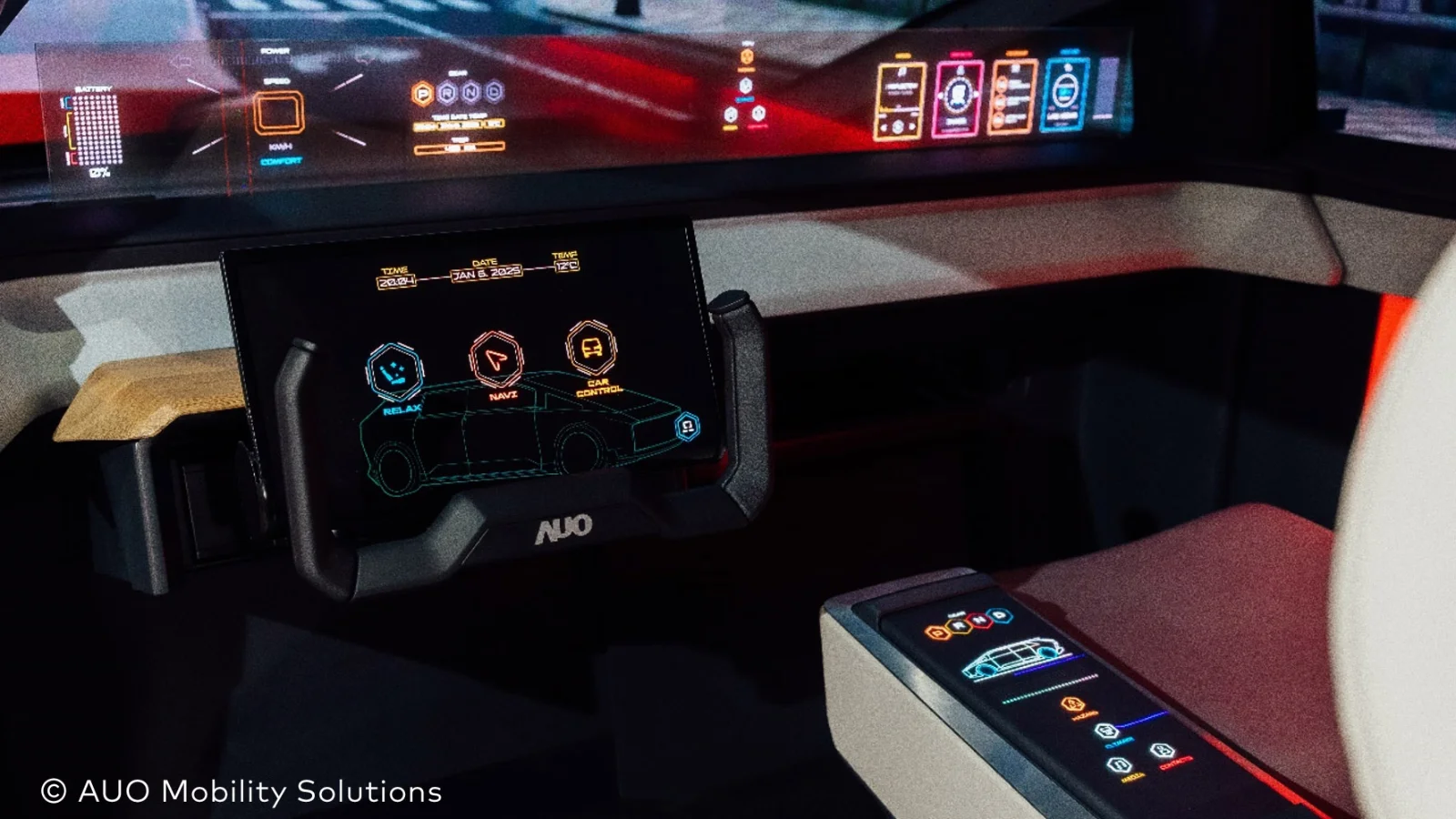
AUO Mobility Solutions in Lippstadt is one of the world’s leading providers of human-machine interface (HMI) systems, climate control solutions, and thermal management for the automotive industry. As part of AUO Mobility Solutions Corporation (AMSC), AUO Mobility Solutions collaborates with vehicle manufacturers to develop innovative cockpit solutions, shaping the interior of the vehicles of the future.
The Challenge
The development of state-of-the-art control and display systems requires diagnostic solutions that are precisely tailored to the specific requirements of each vehicle manufacturer. This applies to all DTCs (Diagnostic Trouble Codes) and Diagnostic Identifiers (SID, DID, RID). A consistent and comprehensive documentation of these requirements is crucial for effective quality control.
The Solution
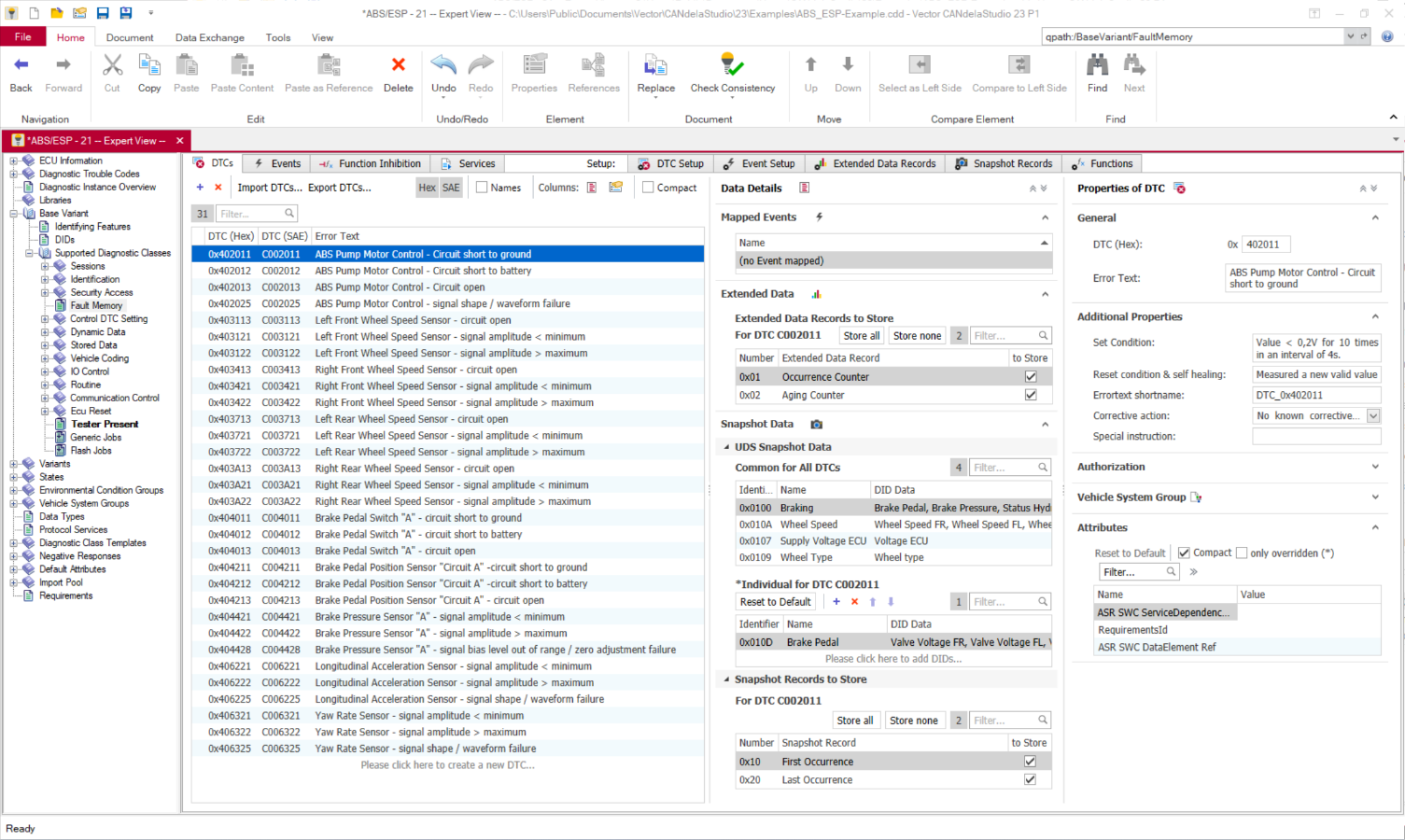
Until now, requirements for diagnostic services have been managed manually in some cases throughout the entire OEM project. Today, the consistency of these requirements between the diagnostic specification tool CANdelaStudio and the IBM® Requirement Management Tool DOORS® can be ensured automatically. This process improvement is based on the requirement plugins available in CANdelaStudio as well as two simple C scripts.
The plugins enable the seamless capture of diagnostic-related requirements from the very beginning. They thus ensure full traceability between the requirement management tool and CANdelaStudio throughout the entire project lifecycle.
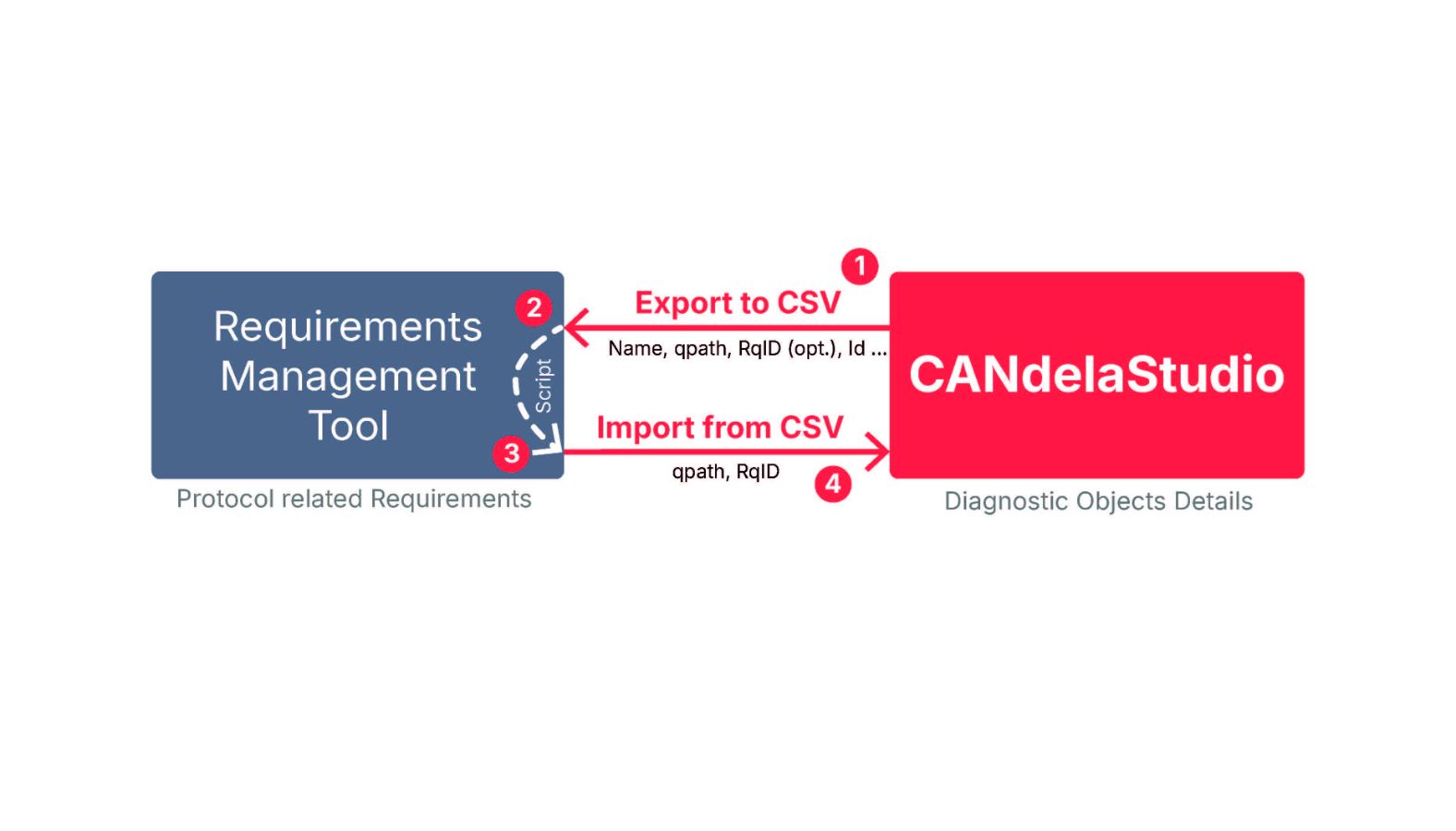
The automation process is very simple and consists of 4 steps, which are repeated throughout the project as shown in the image:
- The CANdelaStudio Export Plugin generates a table (CSV file) containing all diagnostic objects, services, and their unique reference paths from the CANdelaStudio description file (CDD file) provided by the customer and enhanced by AUO Mobility Solutions. During the first export, the Requirement ID remains empty, as these identifiers are only assigned later in the requirements management tool. At the same time, the plugin inserts a new attribute into the CDD data model for storing the Requirement IDs.
- A script developed by AUO Mobility Solutions imports the diagnostic objects that have not yet been captured, along with their descriptions and reference paths, into the requirement management tool, where a new requirement with its own Requirement ID is automatically assigned for each diagnostic object and linked to the CANdelaStudio reference path. The user can then easily verify the details of each requirement via the reference path.
- Another script then exports all assigned requirement IDs from the requirement management tool, along with the corresponding CANdelaStudio reference paths.
- The CANdelaStudio Import plugin reimports the table (CSV file) with the Requirement IDs added. In doing so, the plugin correctly maps the Requirement ID to the CDD file using the unique reference path and enters it into the corresponding attribute of the relevant diagnostic object. This ensures complete requirement traceability.
The Advantages
CANdelaStudio, in combination with the requirement plugins, offers AUO Mobility Solutions clear added value throughout the entire diagnostic development process:
1. Centralized and consistent diagnostic database: The CDD data serves as a centralized, consistent source for all diagnostic-related information.
2. Efficient configuration of AUTOSAR Diagnostic BSW: Based on the CDD file, CANdelaStudio automatically generates a DEXT file, which serves as the basis for configuring the AUTOSAR diagnostic-related base software.
3. Reliable foundation for verification and validation: The CDD file also forms the basis for software verification in the test lab.
Even in future projects where the vehicle manufacturer provides a Diagnostic EXTract (DEXT) instead of CANdelaStudio data, AUO Mobility Solutions will ensure a consistent and efficient diagnostic process with CANdelaStudio. By importing the DEXT data and generating an AUO internal CDD file, CANdelaStudio enables the creation of a uniform, centralized database for documentation, requirements tracking, and verification. This ensures that established processes will be maintained in the future, regardless of the OEM’s input format.
At the same time, the CDD file serves as the central source for the test lab in this scenario as well, creating optimal conditions for efficiently testing diagnostic functions in CANoe environments, making targeted modifications, and reproducibly simulating error conditions. This approach offers clear advantages, particularly for complex DTCs with extensive descriptions and increased testing requirements. In addition, the planned transition of requirement management from DOORS® to Polarion® ensures no disruptions in the tool process, as the requirement plugins from CANdelaStudio can continue to be used without modification.