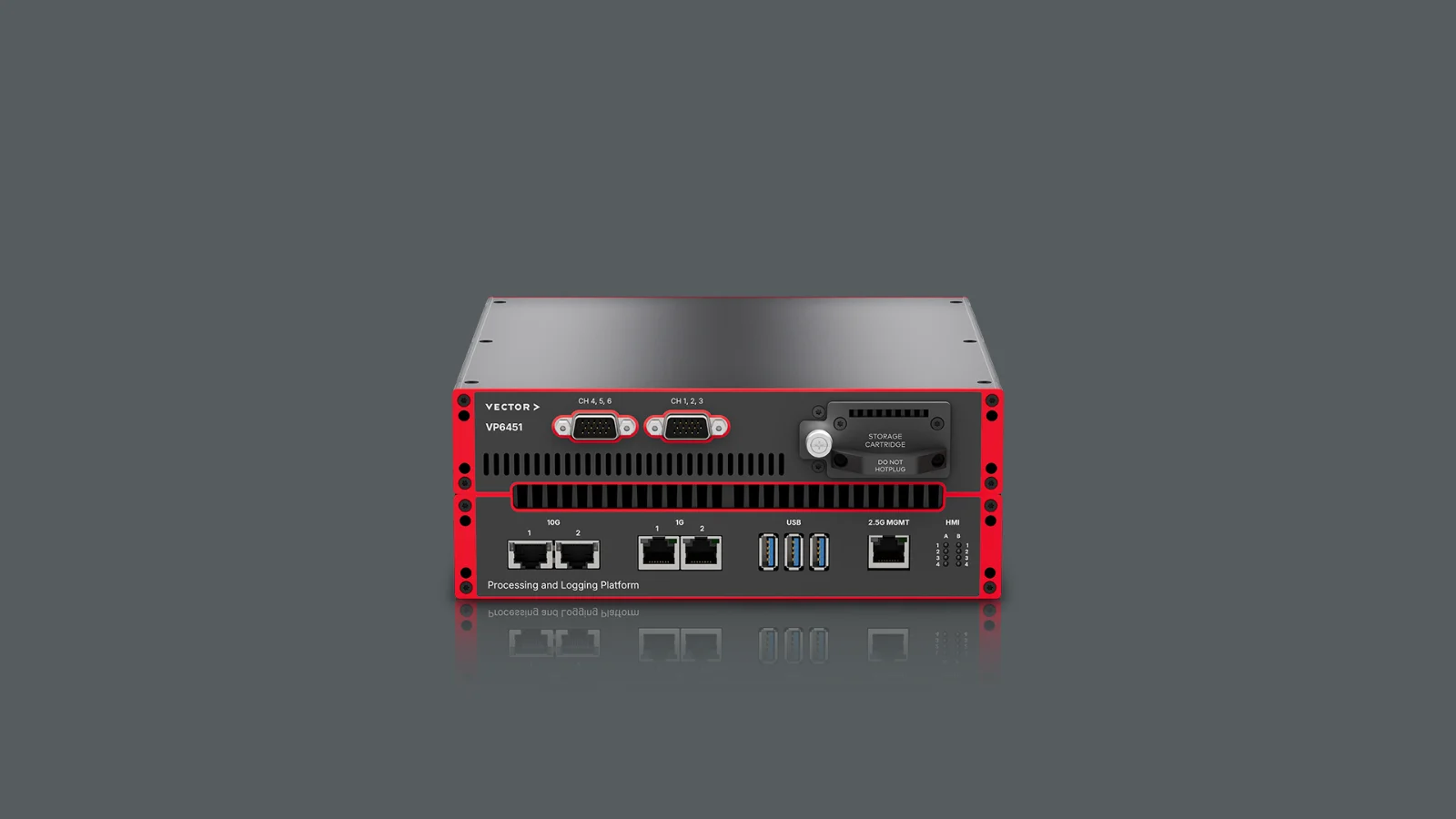
In‑vehicle data acquisition combines large data volumes from sensors, cameras, ECUs and networks.
Smart Loggers provide a robust, temperature‑proven logging solution combined with matching software for data acquisition and evaluation.
Highlights
- Direct project usage: Use your existing CANape or vMeasure project directly on the Smart Logger to save time and ensure process reliability
- Real‑time evaluation during measurement: Perform live evaluations, real‑time statistical analyses and virtual signal calculations during runtime – including external algorithms
- Time‑synchronous data acquisition: Synchronize measurement data from sensors, ECUs, cameras and networks with high precision via IEEE 1588 PTP or software‑based synchronization
- Central logger and fleet management: Centrally manage and monitor Smart Loggers via Mobile UI, vLoggerControlRoom and cloud services, including status and location information
- Scalable performance platform: Use optimally matched hardware and software platforms from VP6400 to VP7500, expandable with logging extensions for increasing data rates
Mode Variants
The Smart Logger combines a vehicle-compatible computer from the VP family with CANape log or vMeasure log. Your existing CANape and vMeasure projects run on the Smart Logger. They operate in two modes.
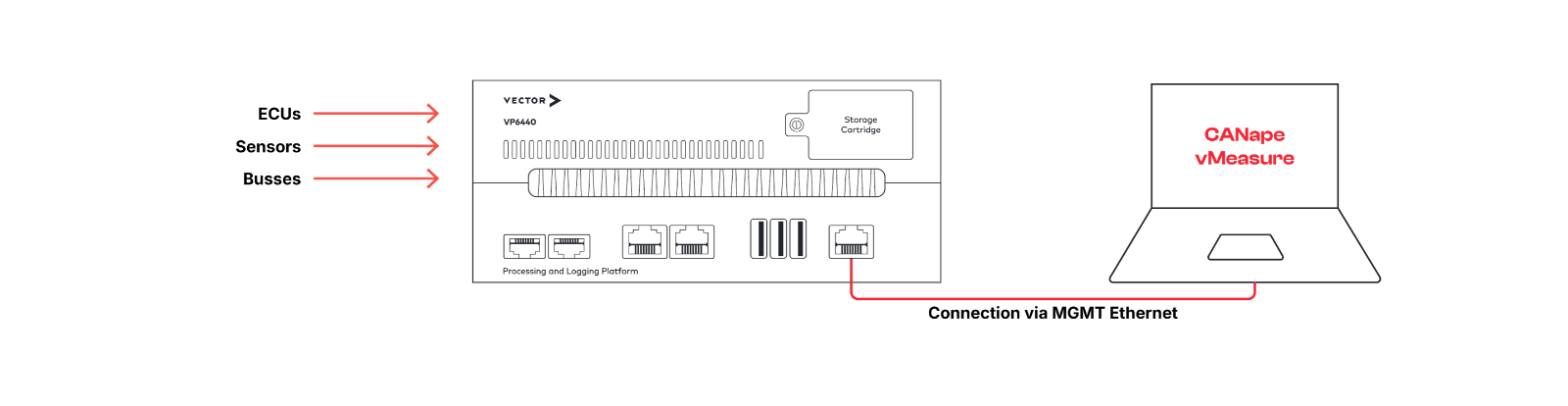
Interactive mode
You connect the computer running CANape or vMeasure to the Smart Logger via Ethernet. All ECUs, buses, and sensors are connected to the logger. You use CANape/vMeasure as usual on your computer and work on your project. If you want to switch to stand-alone mode, disconnect the computer from the Smart Logger.
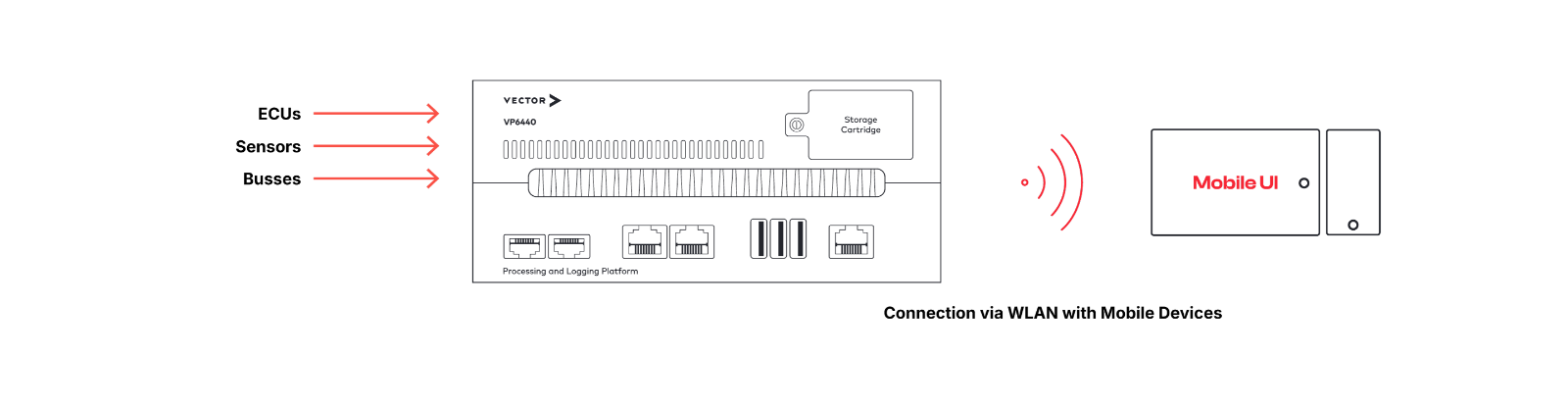
Standalone mode
The Smart Logger performs the logging task for your project independently. A test driver accesses the Smart Logger via a browser, triggers actions, and receives information about the logging status.
Software Options
Depending on your application, two software options are available: vMeasure log and CANape log.
When to use vMeasure log?
vMeasure log is suitable for the time-synchronous acquisition of many signals from different sources. Sampling rates in the megahertz range per signal and a powerful analysis library allow for the precise calculation of electrical performance data such as active power and inverter efficiency already during the measurement. Protocols, hardware interfaces, and reference cameras are supported.
When to use CANape log?
CANape log extends vMeasure log to include ADAS/AD sensors. It logs data from cameras, radar, LIDAR, and other high-bandwidth sources such as Automotive Ethernet. Connect a laptop to the Smart Logger via Ethernet using CANape and gain full access to the ECUs for calibration or flashing.
Comparison
| Application | vMeasure log | CANape log |
| Measurement signals | ✓ | ✓ |
| Protocols / Hardware interfaces (CCP, XCP, SOME/IP, VX1000, GNSS, Analog measurement technology) | ✓ | ✓ |
| Context / Reference cameras (AXIS, DirectShow, RTSP,..) | ✓ | ✓ |
| Signal-oriented logging of automotive networks (CAN, CAN FD, LIN, FlexRay, Automotive Ethernet) | ✓ | ✓ |
| Bus logging of automotive networks (CAN, CAN FD, LIN, FlexRay, Automotive Ethernet) | ✓ | |
| Vehicle cameras | ✓ | |
| Radar | ✓ | |
| LIDAR | ✓ | |
| User-specific protocols and sensors | ✓ |
Hardware Variants
The VP6400 and VP7500 hardware platforms are available for Smart Loggers. The VPs are designed for in-vehicle use, record large amounts of data, and process it in real time during recording thanks to powerful processors. The platforms offer integrated ports for CAN, CAN FD, LIN, and FlexRay, as well as numerous Ethernet interfaces. You can flexibly adjust the number of ports using additional VN network interfaces. If data rate or CPU performance is not sufficient, add logging extensions: a single extension increases the write rate by up to 6 GByte/s.
VP6400
- The all-rounder
- Data rates up to 2 Gbyte/s
- Max. 32 Tbyte storage capacity
VP7500
- The system for highest demands
- Data rates up to 2.5 Gbyte/s
- Max. 128 Tbyte storage capacity
Add-Ons
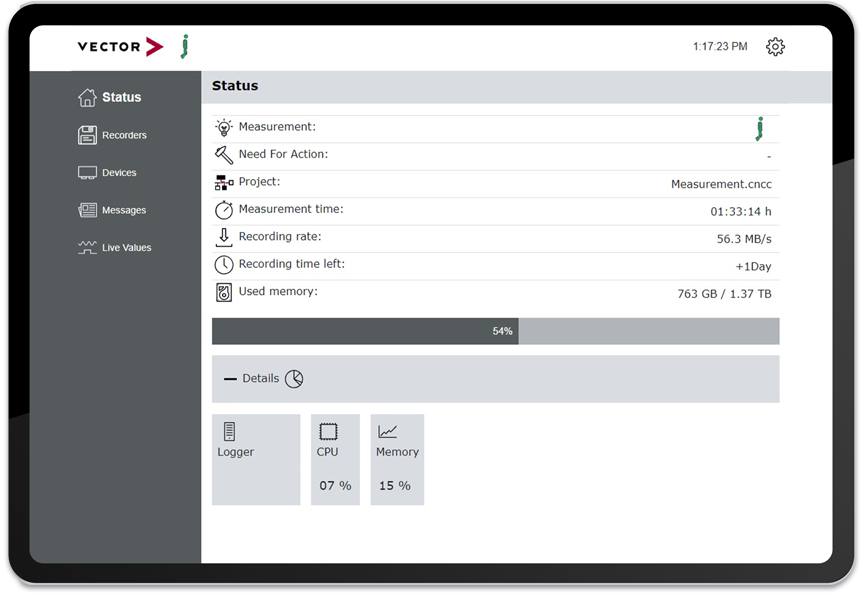
Mobile UI
- Start or stop the logger process and view status information.
- Monitor the process via smartphone, tablet, or laptop.
- Trigger events
- Add comments
- Preview video recordings
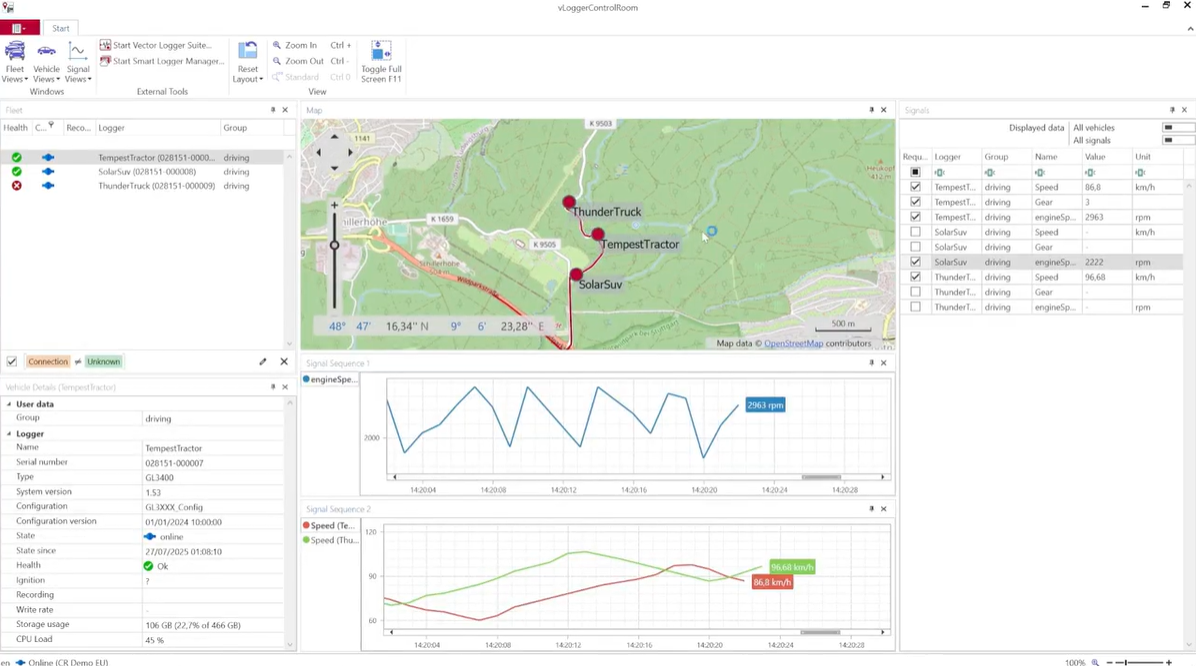
vLoggerControlRoom
- Display the location of all connected vehicles
- Monitor selected signals in real time
- Gain insights into the status of the fleet and vehicles
- Use graphical signal display for quick data interpretation
- Create a starting point for fine-tuning measurement configurations
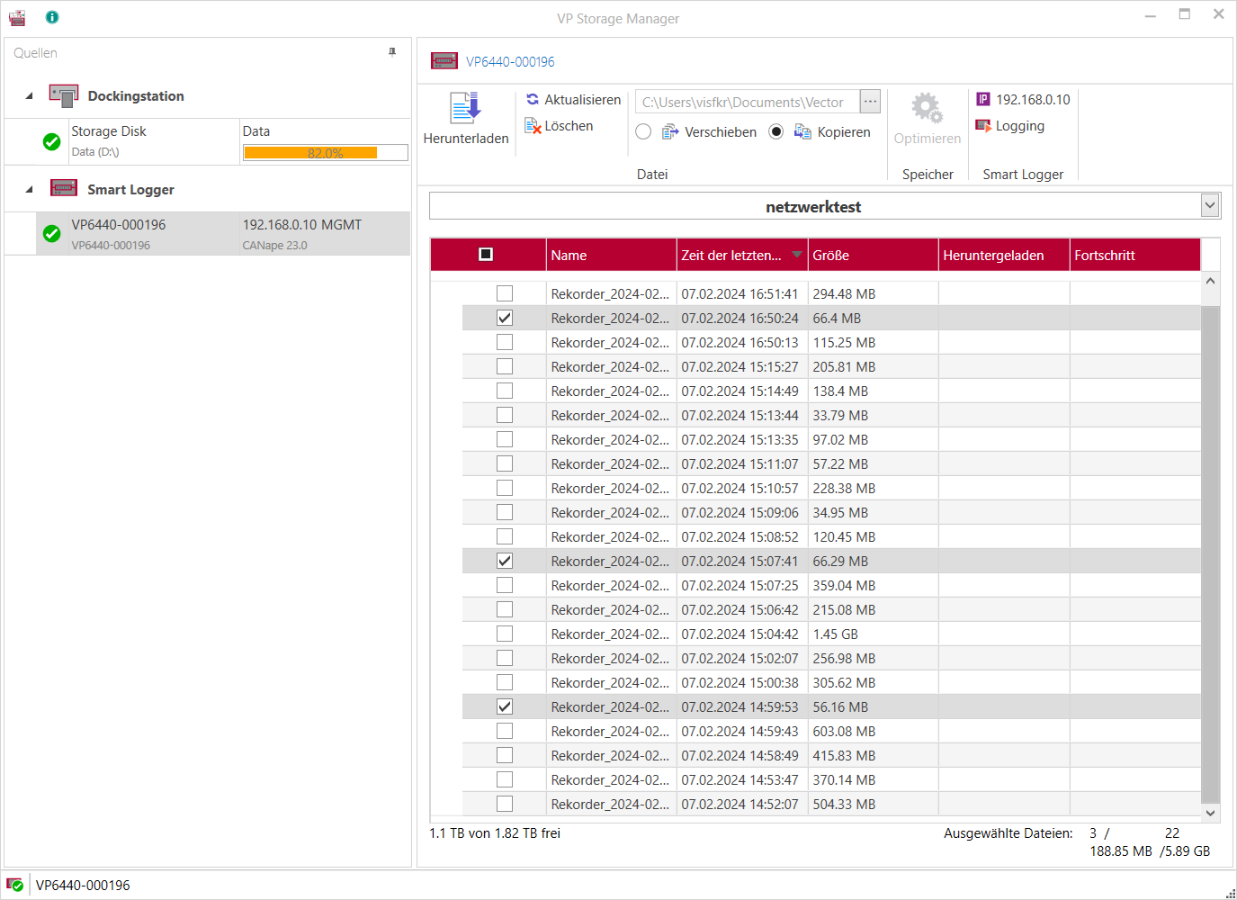
Vector VP Storage Manager
- Download measurement files from Smart Loggers or docking stations
- Manage measurement files on a replay station
Product Descriptions
| VP6400 User Manual (PDF) |
| VP7400 User Manual (PDF) |
| VP7500 User Manual (PDF) |
Related Products