Increase test coverage and efficiency with flexible parameterization in vTESTstudio.
Parameters
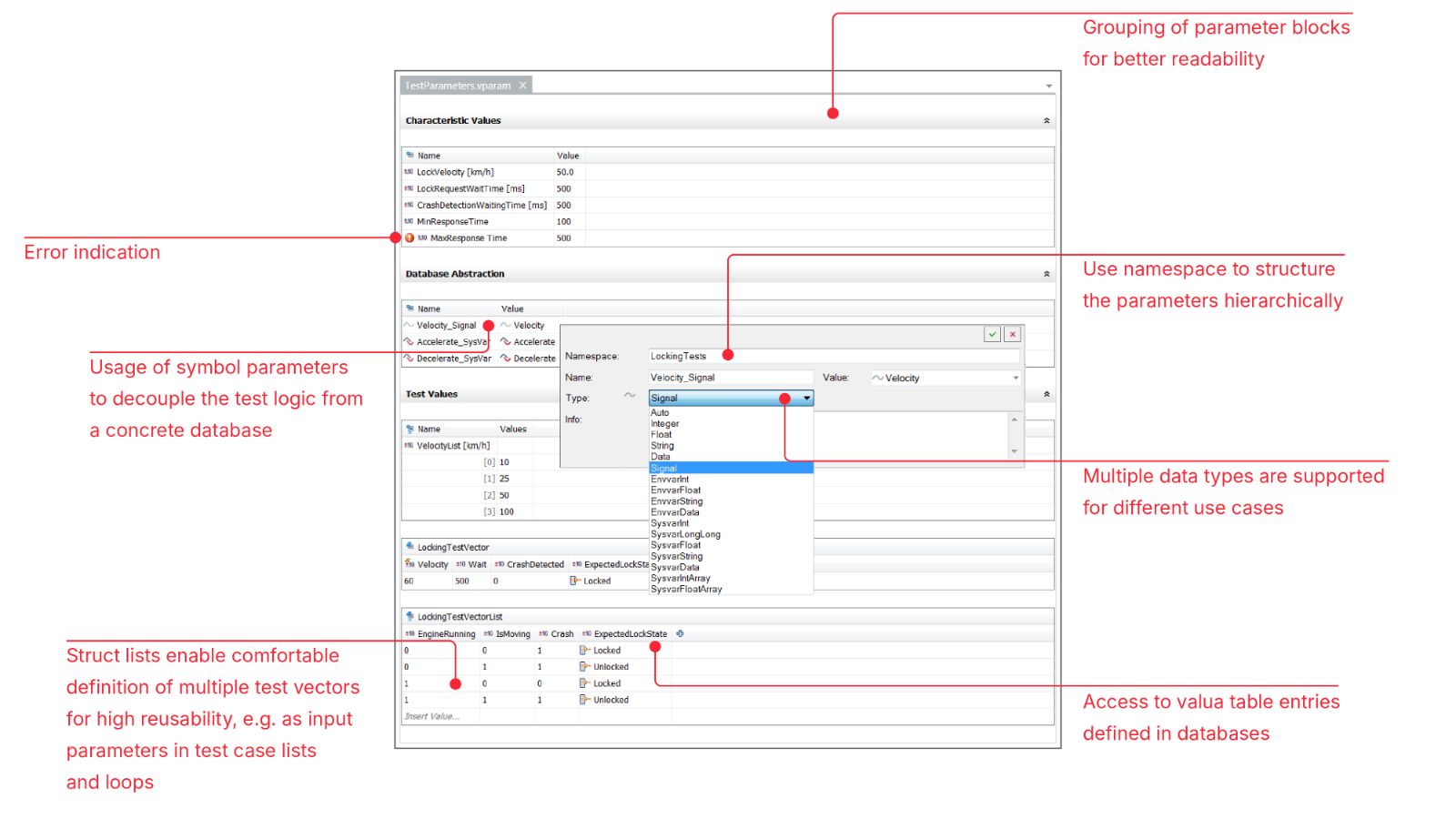
You can attain a higher level of reuse of functions, test cases and parameters, if you define and manage ECU parameters and test vectors in separate files. vTESTstudio lets you access the parameters for a test sequence from all implementation languages.
Parameters and test vectors can be defined as scalars and as a list. These lists make it very convenient for you to perform iterations of the test sequences, e.g. if you wish to execute different variants of a test vector with the system under test.
A convenient editor is available to you in vTESTstudio for editing the parameter files. However, it is also possible to edit the files in an external editor, e.g. in Microsoft Excel, by saving the files in a simple csv format.
Waveform Editor
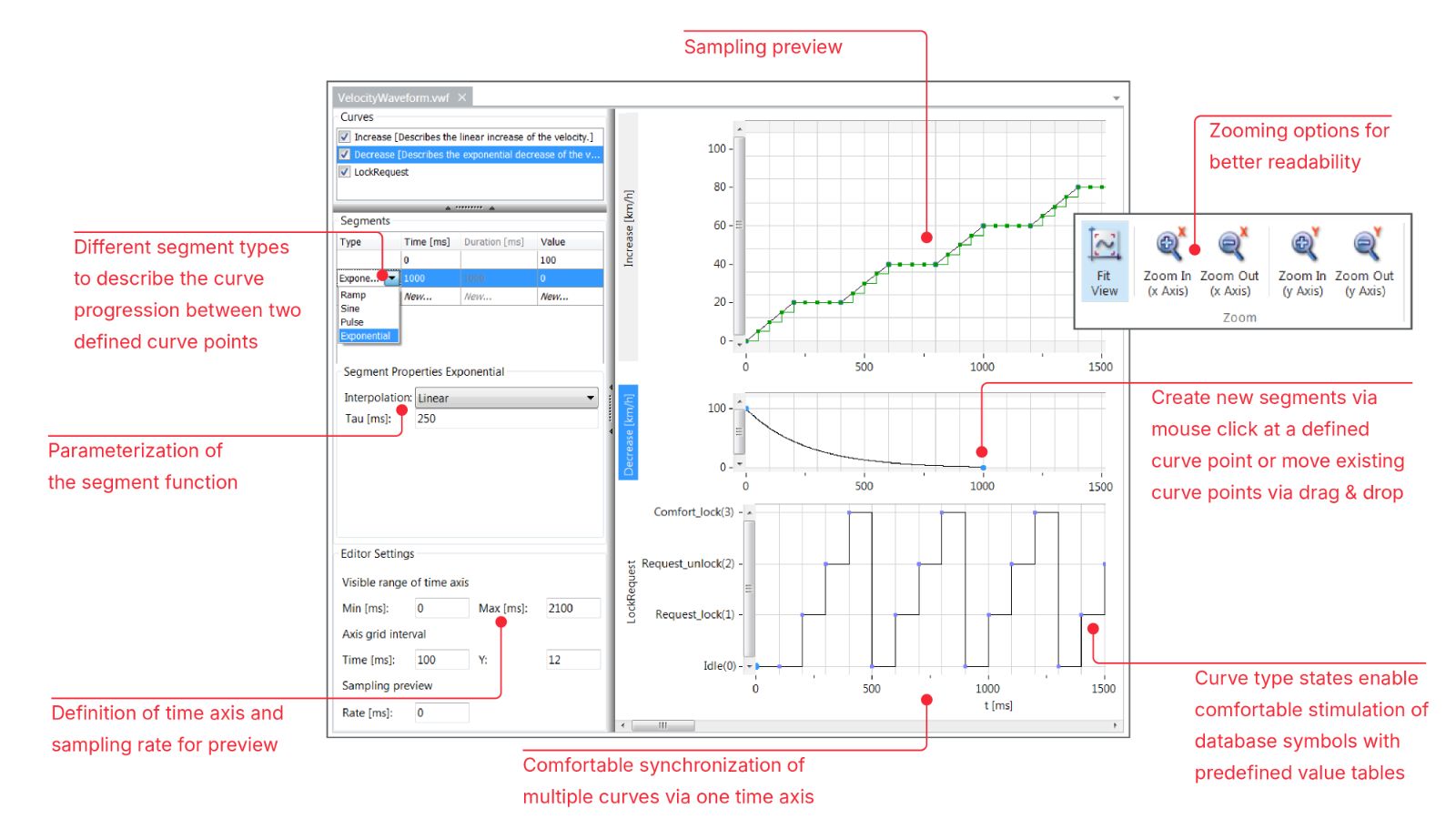
The waveform editor can be used to define curves for stimulating the System Under Test. Predefined segment types (sinus, pulse …) support you in defining e.g. voltage curves by ECU test standards like LV124. Multiple curves can be synchronized easily within the same editor.
In addition to stimulating curves, it’s possible to define check points directly in the graphical user interface. This enables you to validate expected behavior of the system under test synchronized with the stimulated values.
Classification Tree
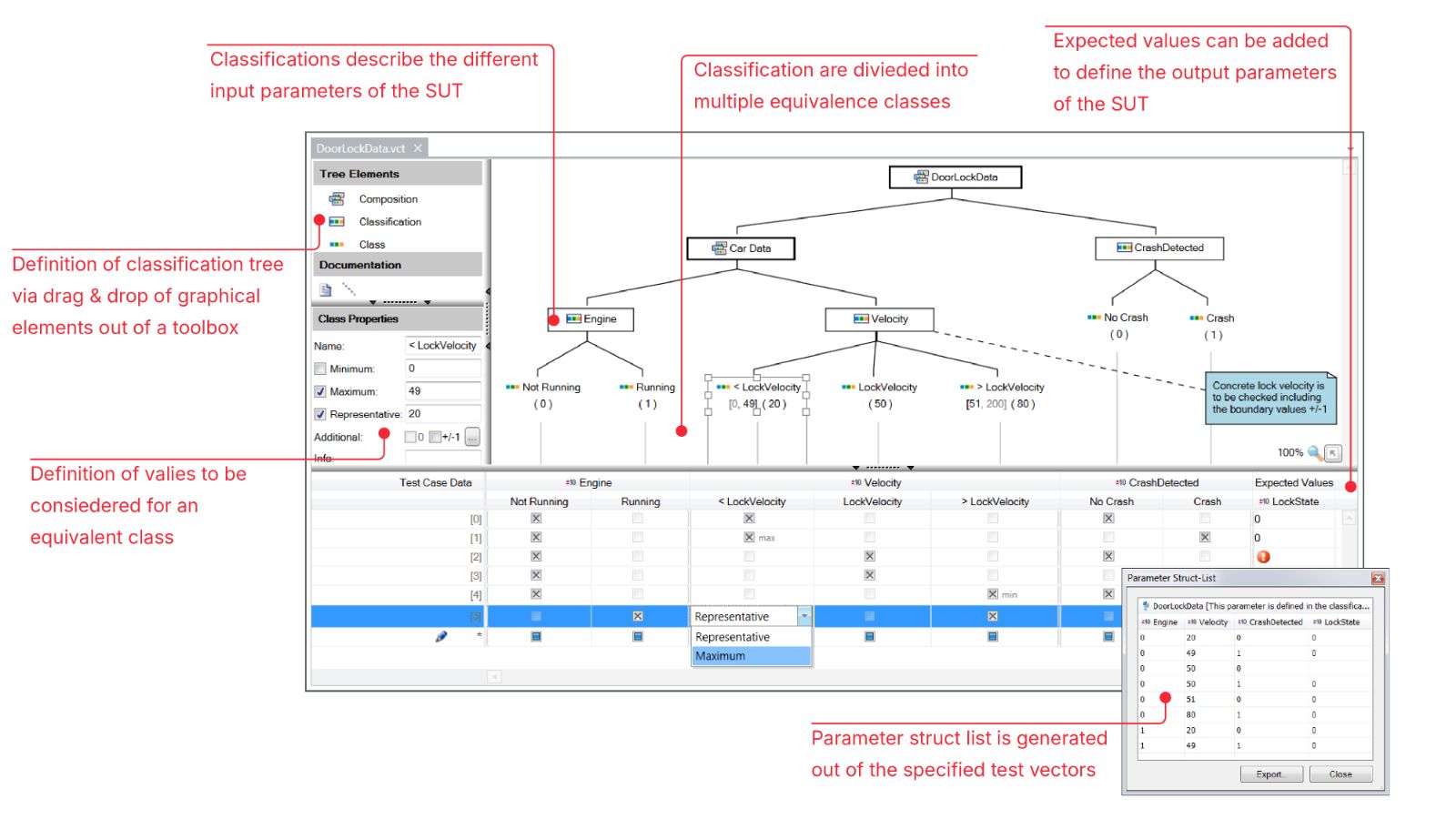
The Classification Tree Editor helps you identify test case data efficiently. Its graphical interface allows you to define classifications and equivalence classes and quickly determine the required test vectors.
Additionally, the explicit support of boundary values helps you in considering critical values as minimum and maximum values of equivalence classes.
Test Case List
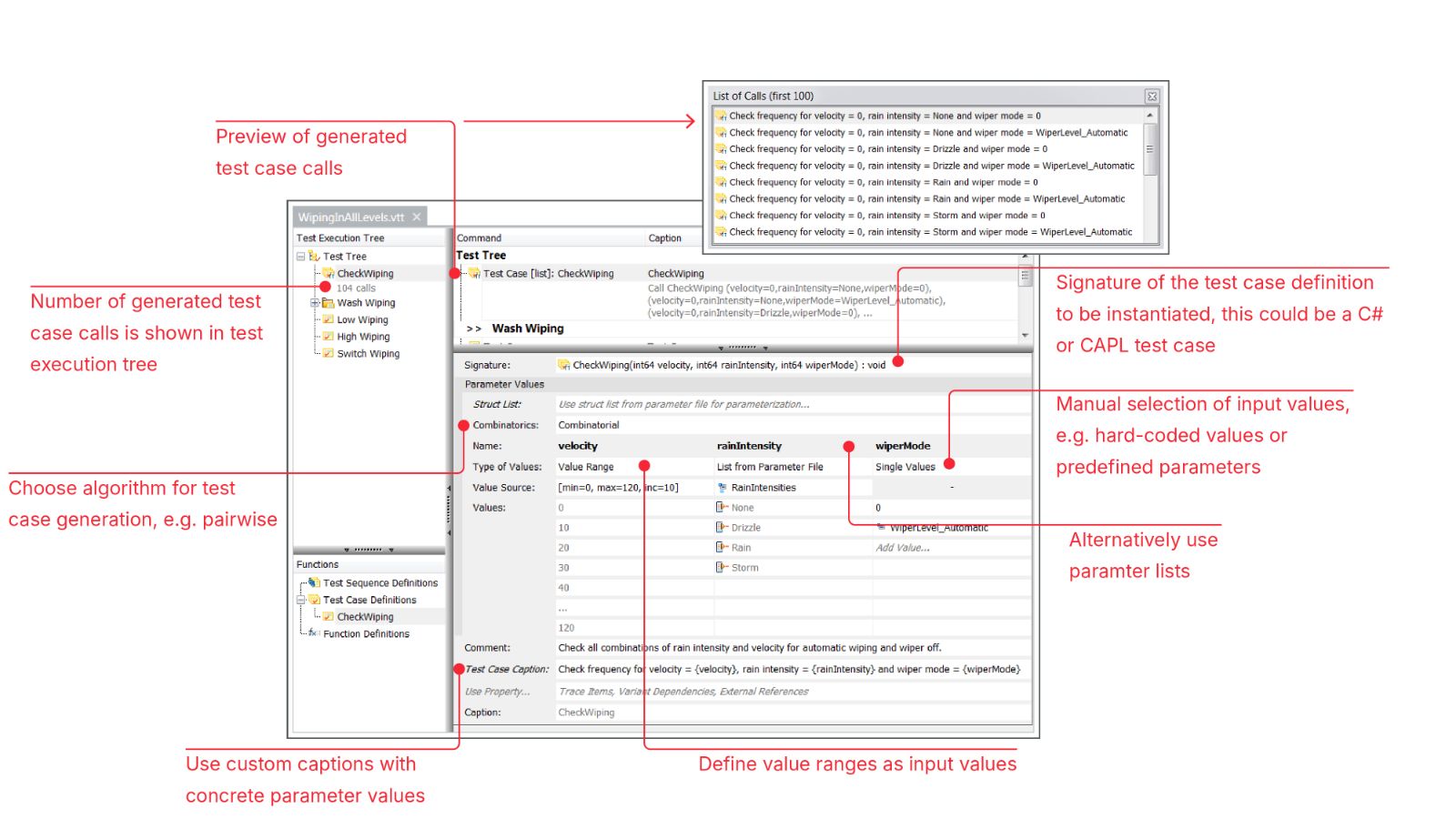
vTESTstudio assists you with parameterized test case lists to increase your test coverage without programming effort.
You define a test case list by entering multiple values for each passed parameter of a test case definition. At test execution, vTESTstudio automatically generates a list of those test cases which either use every parameter value at least once or any combination of parameter values.
The data with which a test case is to be executed several times can be defined in different ways: On the one hand, direct input in the test table editor is possible. Both individual values and ranges with a certain step size can be specified.
On the other hand, the test data can be defined in the parameter editor or in the classification tree editor. This allows, for example, a dedicated consideration of limit values or the use of variant-dependent values.
More About vTESTstudio and Other Features
vTESTstudio
Test Design Editors
Variant Handling
Traceability
Fuzz Testing