vTESTstudio offers various graphical test design editors. You can design your tests quickly and easily with the intuitive design features.
Test Design Editors
Depending on the task and requirements involved, users can switch between the various complementary test design techniques integrated into vTESTstudio for the development of automation sequences.
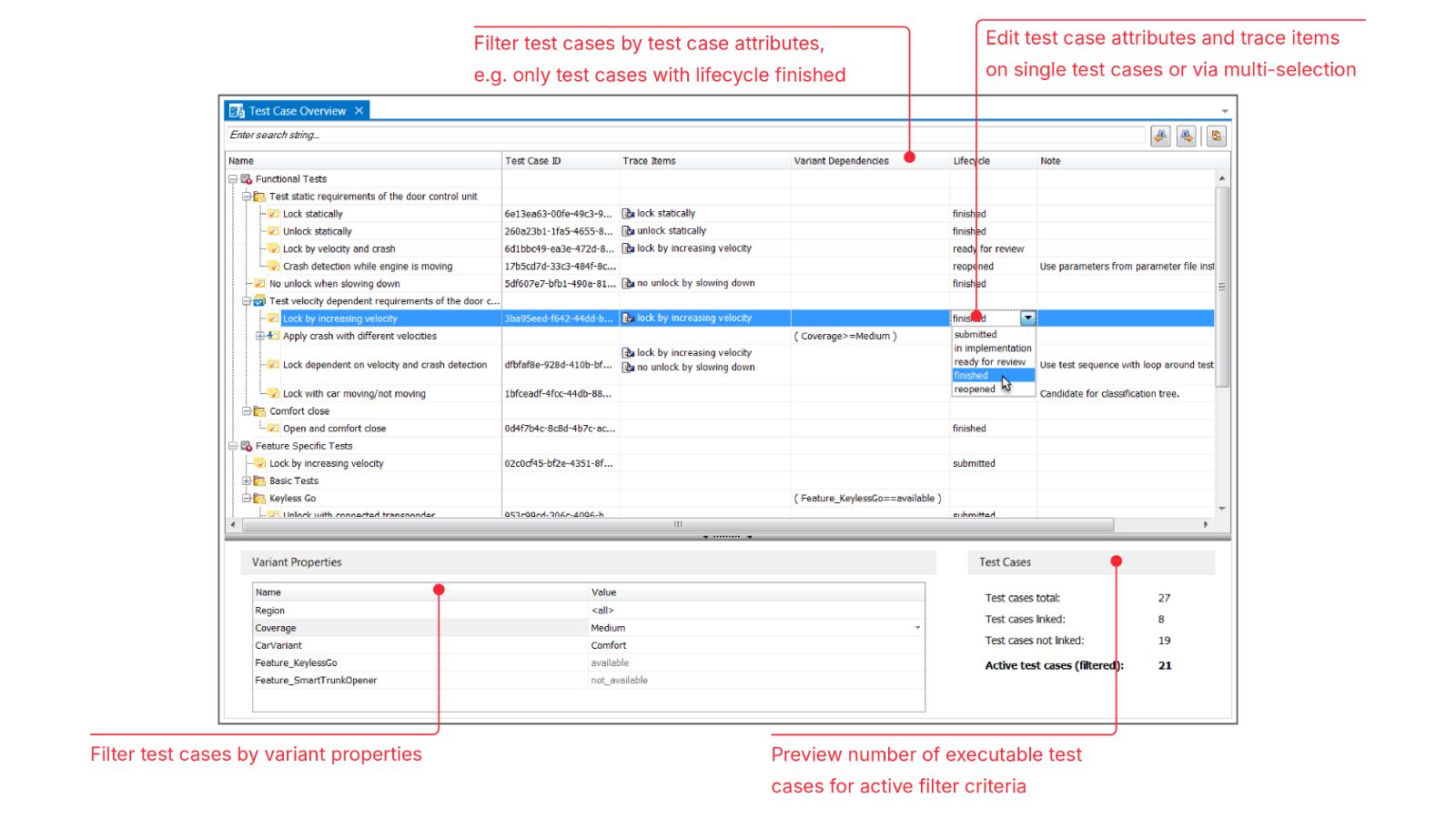
The test case overview gives an overview over all test cases available in a test project, regardless of the editor they are implemented in.
Test Design Techniques
Test Table Editor
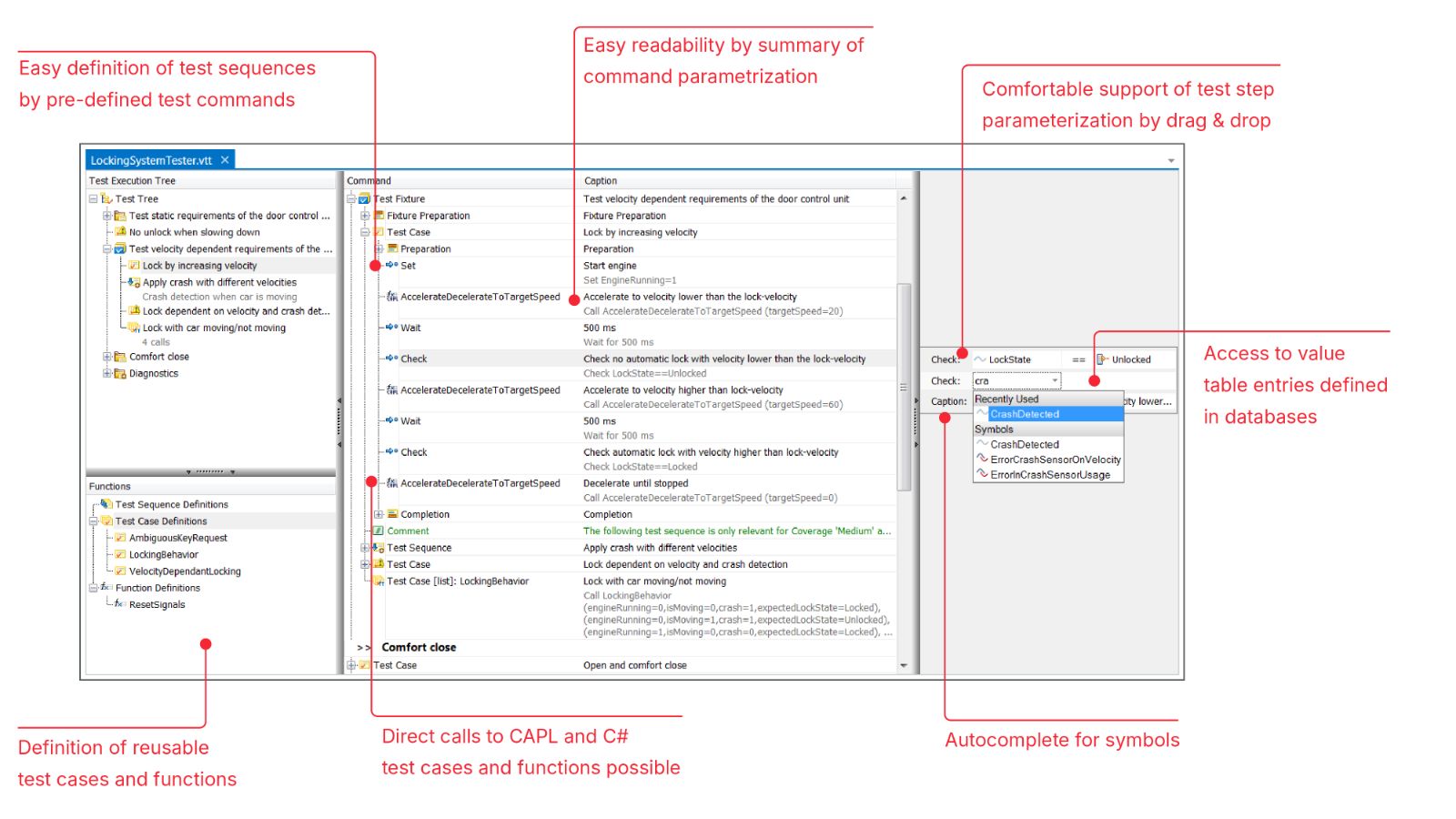
You can use the test table editor to define linear test sequences in an easy way in table format without requiring any programming knowledge.
The editor provides you with special commands for stimulating and testing the System Under Test. It lets you conveniently parameterize the commands by drag and drop from explorers and offers intelligent input assistance.
Test Sequence Diagram Editor
The test sequence diagram editor is available with the vTESTstudio Option Graphical Test Design.
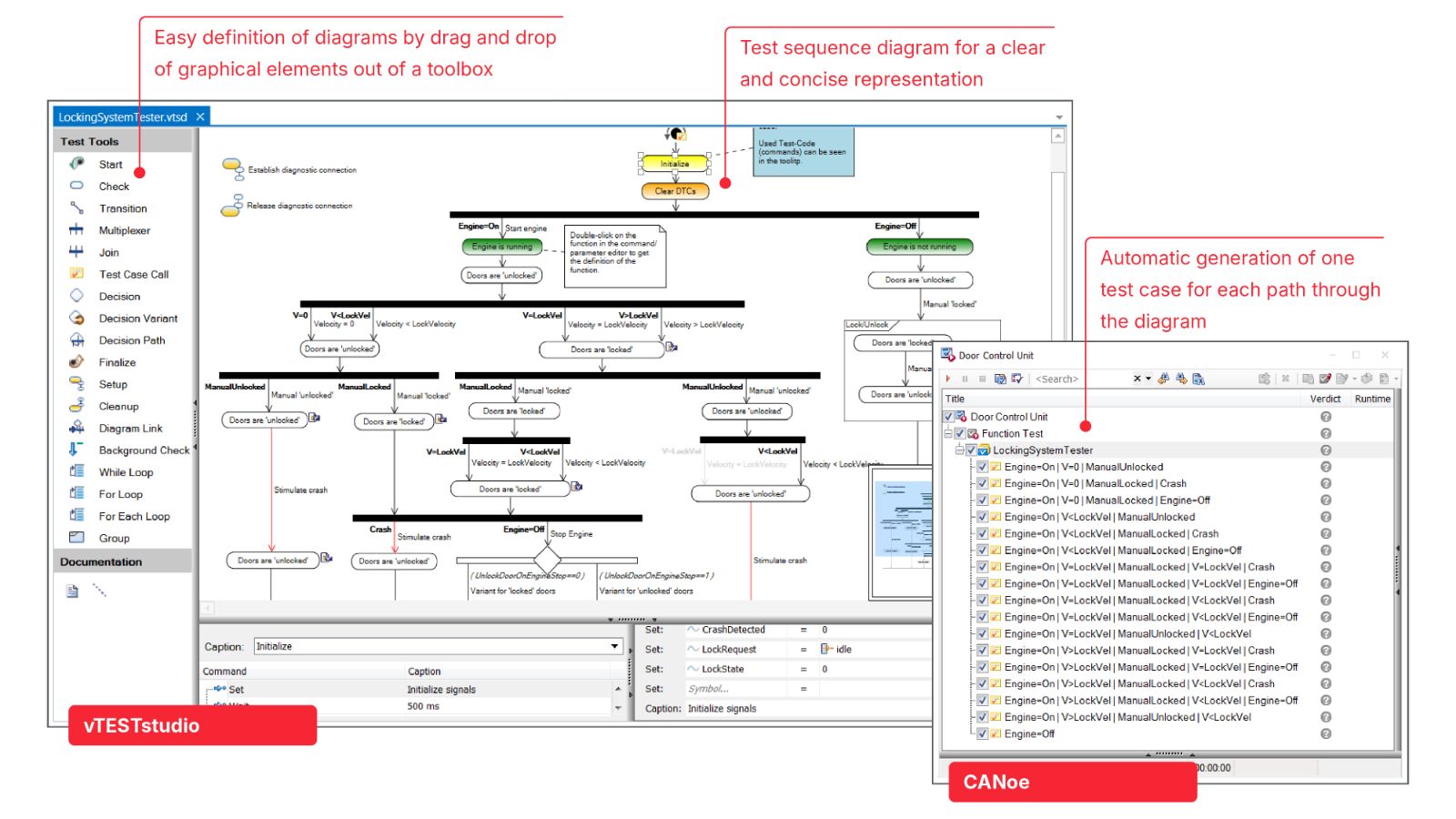
This editor lets you create tests in graphic form. vTESTstudio automatically generates a test case for each path in the diagram. The easy-to-understand graphic representation gives you an easy way to review even complex test logic.
Test code in table-based notation can be assigned to each graphic element. For this test code the same commands are available as in the test table editor.
State Diagram Editor
The state diagram editor is available with the vTESTstudio option Graphical Test Design.
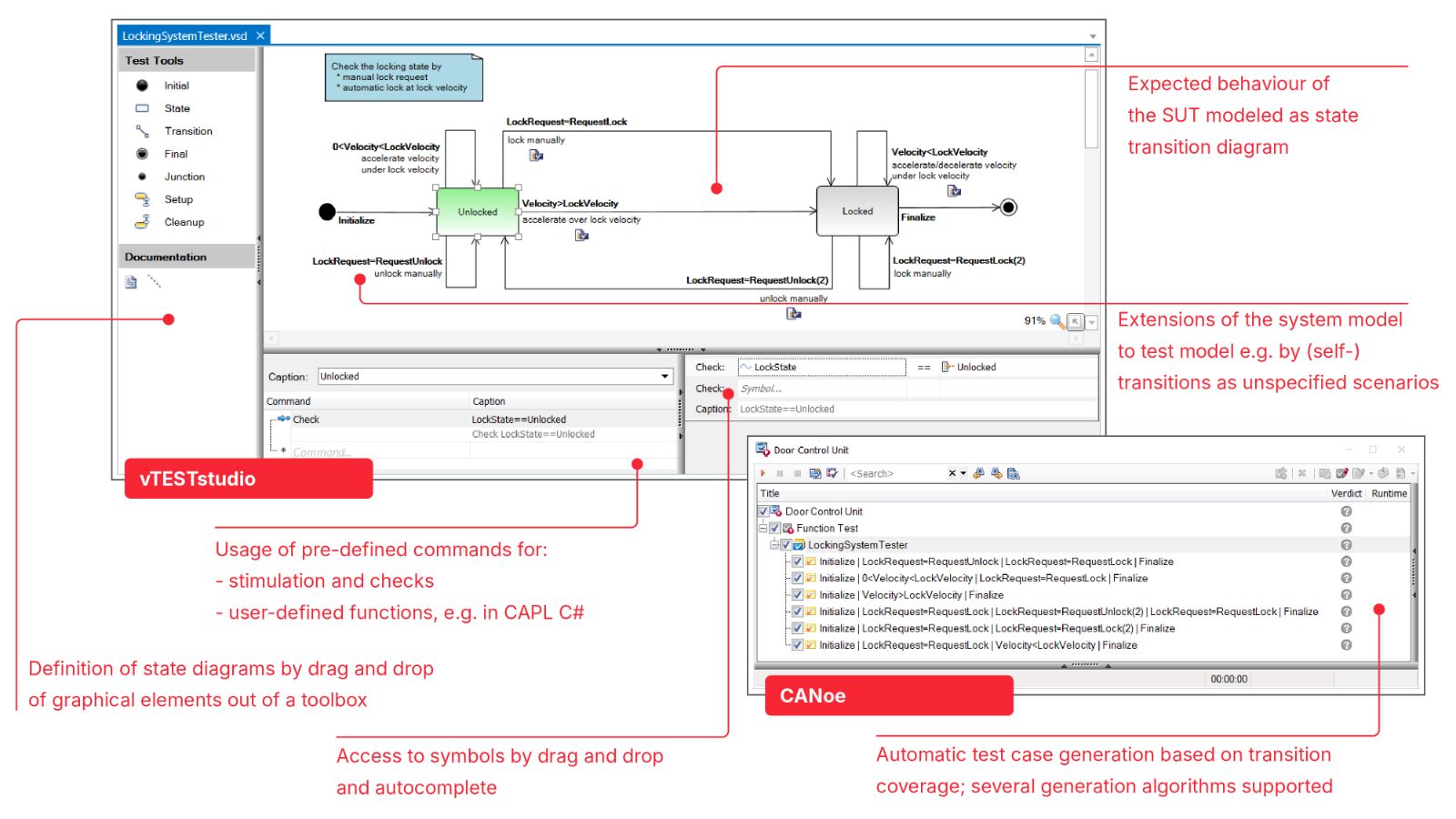
With the state diagram editor you model the expected behavior of the SUT as state transition diagram. vTESTstudio automatically generates test cases out of this test model. For the test case generation you can choose between several algorithms such as Chinese Postman and breadth search.
Test code in table-based notation can be assigned to each graphic element. For this test code the same commands are available as in the test table editor.
Programming Languages
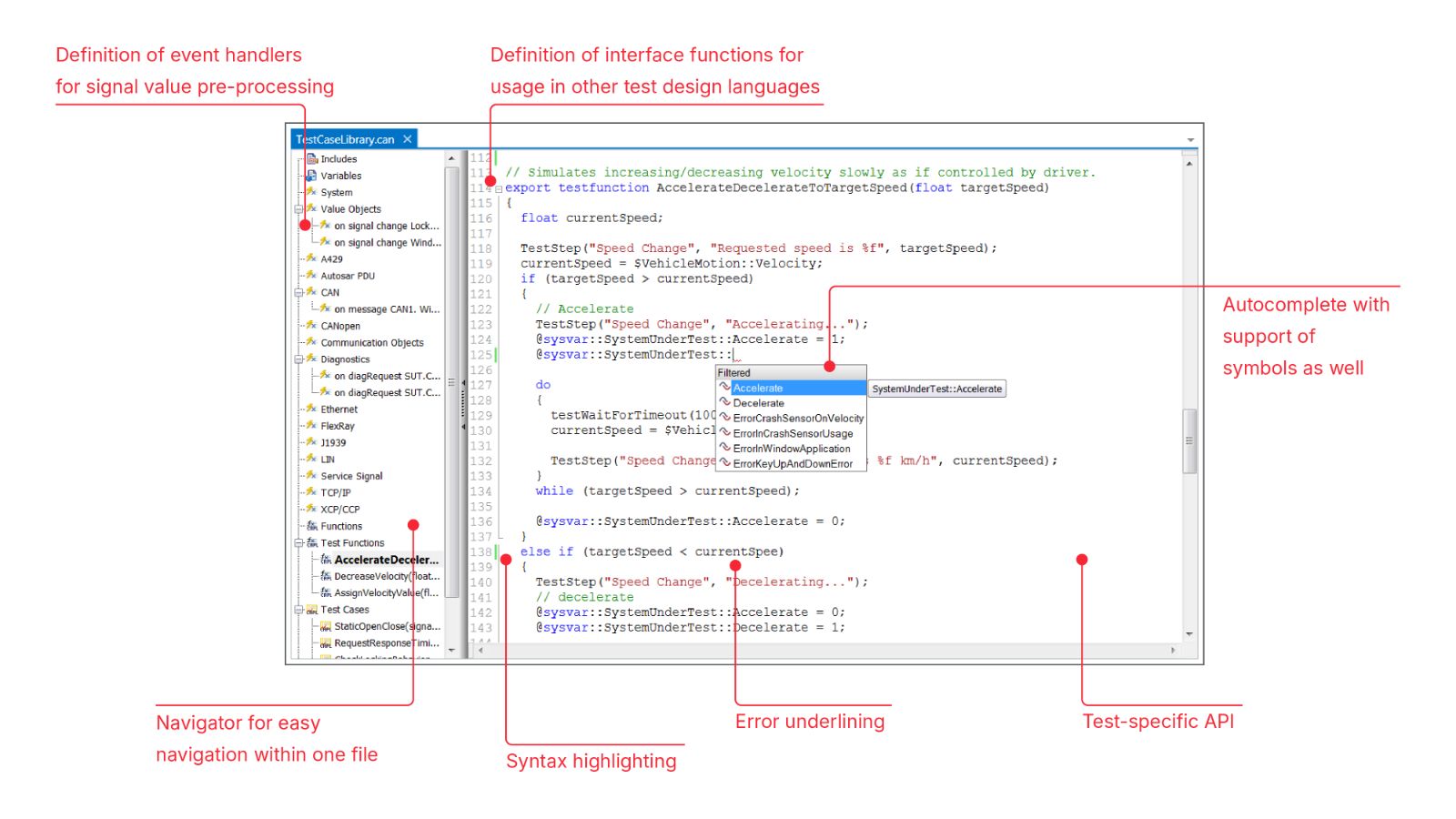
The programming editors for CAPL, C# and Python provide you with the functions of a modern development environment. Its features – which include automatic text completion, syntax highlighting and error recognition – simplify your work even while typing.
You can define sequential test flows or event-based test flows in all programming languages – CAPL, C# and Python. Event-based test flows are enabled by special language elements that can be used to react to events of the test environment, e.g. to preprocess signals.
To implement tests in C# you can also use Microsoft Visual Studio. A dedicated integration with vTESTstudio is available.
More About vTESTstudio and Other Features
vTESTstudio
Test Coverage and Parametrization
Variant Handling
Traceability
Fuzz Testing